

Draadloze verlichtingsbediening heeft een vies klein geheim: hoewel het vaak uitzonderlijk goed werkt in demonstraties, laat het mensen vaak in de steek in hun huizen. De schuldige is zelden de app; in plaats daarvan ligt het achter de muur. Deze gids presenteert de keuzes op een ordelijke manier. Zes manieren om licht draadloos te bedienen, vijf protocollen die ertoe doen, vijf merken die het bekijken waard zijn, inclusief de onze, waar dimsystemen falen, hardwarekosten en onderhoudspraktijken die een draadloos systeem operationeel houden na het derde jaar.
Samengevat zijn de populairste opties voor het draadloos bedienen van verlichting slimme lampen, in-wall slimme dimmers, draadloze afstandsbedieningen en toetsenborden, en slimme stekkers. De drie protocollen die als de beste worden beschouwd voor effectief gebruik van mesh-netwerken zijn Zigbee, Z-Wave en Matter-over-Thread. Wi-Fi heeft geen hubs nodig, maar maakt de al drukke 2.4 GHz frequentieband nog drukker. Wat betreft propriëtaire RF-oplossingen zoals Lutron-systemen, bieden ze geweldige betrouwbaarheid, maar werken ze niet goed met andere systemen. De prijzen variëren van $25 tot $70 per slimme dimmer, $10 tot $50 per slimme lamp, $50 tot $90 voor een hub, en $500 tot $1,200 voor een volledige huisautomatisering setup. Deze prijzen zijn exclusief installatiekosten die door elektriciens in rekening worden gebracht (tegen een prijs van $150 tot $350). Het igoto bedrijf levert alle benodigde apparatuur voor het bouwen van de hardware van de bovengenoemde systemen met behulp van UL 20, UL 498 en UL 1363 schakelaars als OEM's voor zijn klanten, waardoor ze tot 50% besparen op kosten in vergelijking met reguliere retailprijzen.
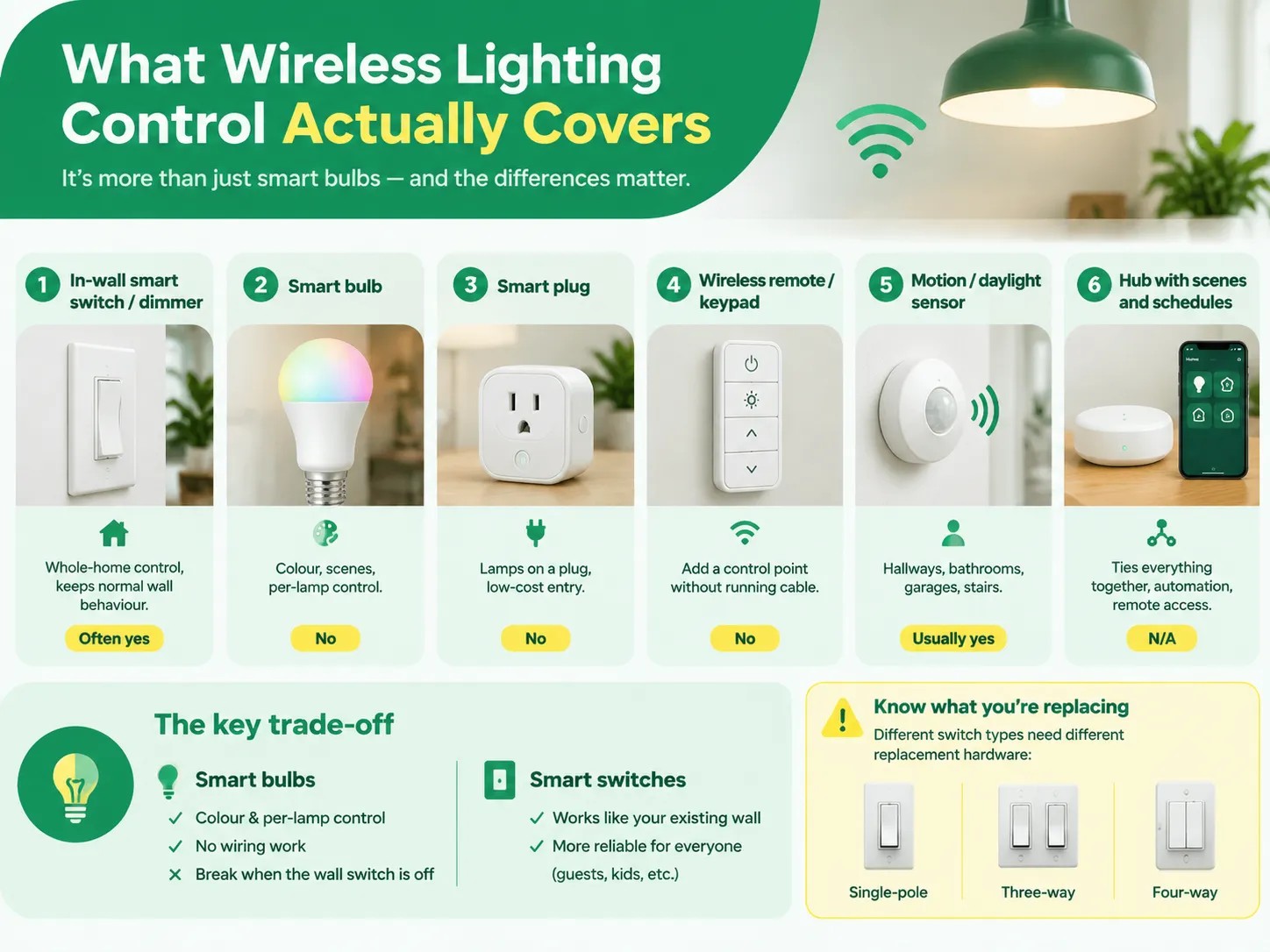
Deze productcategorie is veel groter dan “slimme lampen”, en het is belangrijk om ze te onderscheiden vanwege de problemen die elk oplost. Het blijkt dat er maar zes manieren zijn om lichten draadloos te bedienen, en deze fout zal een klant dwingen om drie apps te hebben.
| Methode | Wat het vervangt | Het beste voor | Heeft neutraal nodig? |
|---|---|---|---|
| In-wall slimme schakelaar / dimmer | De wand schakelaar zelf | Volledige huisbediening, normaal wandgedrag behouden | Vaak ja, niet altijd |
| Slimme lamp | De lamp | Huurwoningen, kleur- en scène-effecten | Nee — maar de schakelaar moet aan blijven |
| Slimme stekker | De socket | Lampen op een stekker, goedkope instap | Nee |
| Draadloze afstandsbediening / toetsenbord | Een tweede schakelpositie | Een bedieningspunt toevoegen zonder kabel te trekken | Nee |
| Beweging / daglichtsensor | Menselijke besluitvorming | Gangpaden, badkamers, garages, trappen | Gewoonlijk ja voor netstroomtypes |
| Hub met scènes en schema's | Niets fysiek | Alles samenvoegen, automatisering, externe toegang | N.v.t. |
De fundamentele uitdaging ligt in de keuze tussen het beheren van het licht bij de bron of het beheren bij de schakelaar. Slimme gloeilampen stellen de gebruiker in staat om kleurkeuzes te maken, flexibiliteit te hebben om elke individuele lamp afzonderlijk te beheren en vereisen geen bedrading, maar ze falen zodra iemand de wand schakelaar indrukt. In een huis waar gasten of kinderen aanwezig zijn, is het slechts een kwestie van tijd voordat iemand de schakelaar omdraait. Slimme wand schakelaars behouden de wandfunctie normaal, wat een groter probleem is dan het lijkt. Als je zowel slimme wand schakelaars als slimme gloeilampen nodig hebt, zullen slimme gloeilampen alleen werken in geselecteerde armaturen in plaats van traditionele gloeilampen overal door slimme te vervangen.
Het helpt ook om te weten wat je vervangt. Het apparaat dat wordt vervangen is een mechanische schakelaar met een specifiek type en classificatie, en de verschillende soorten schakelaars die in elektrische installaties worden gebruikt zijn niet uitwisselbaar — een driewegcircuit, een vierwegcircuit en een enkelpolig circuit hebben elk verschillende vervangingshardware nodig, en het kopen van de verkeerde cassette is de meest voorkomende fout vóór de installatie.
Bij het selecteren van een protocol, of je het nu weet of niet, bepaalt je beslissing hoe betrouwbaar je systeem over vijf jaar zal zijn.
Een nuttig principe is om geen systeem te implementeren dat afhankelijk is van drie protocollen, tenzij het Matter-geactiveerd is. Werken met Zigbee- en Z-Wave-processors en Wi-Fi-apps om dezelfde resultaten te bereiken, zou betekenen dat er drie verschillende automatiseringsoplossingen worden geïmplementeerd die mogelijk verwaarloosd worden wanneer onderhoudsactiviteiten beginnen.
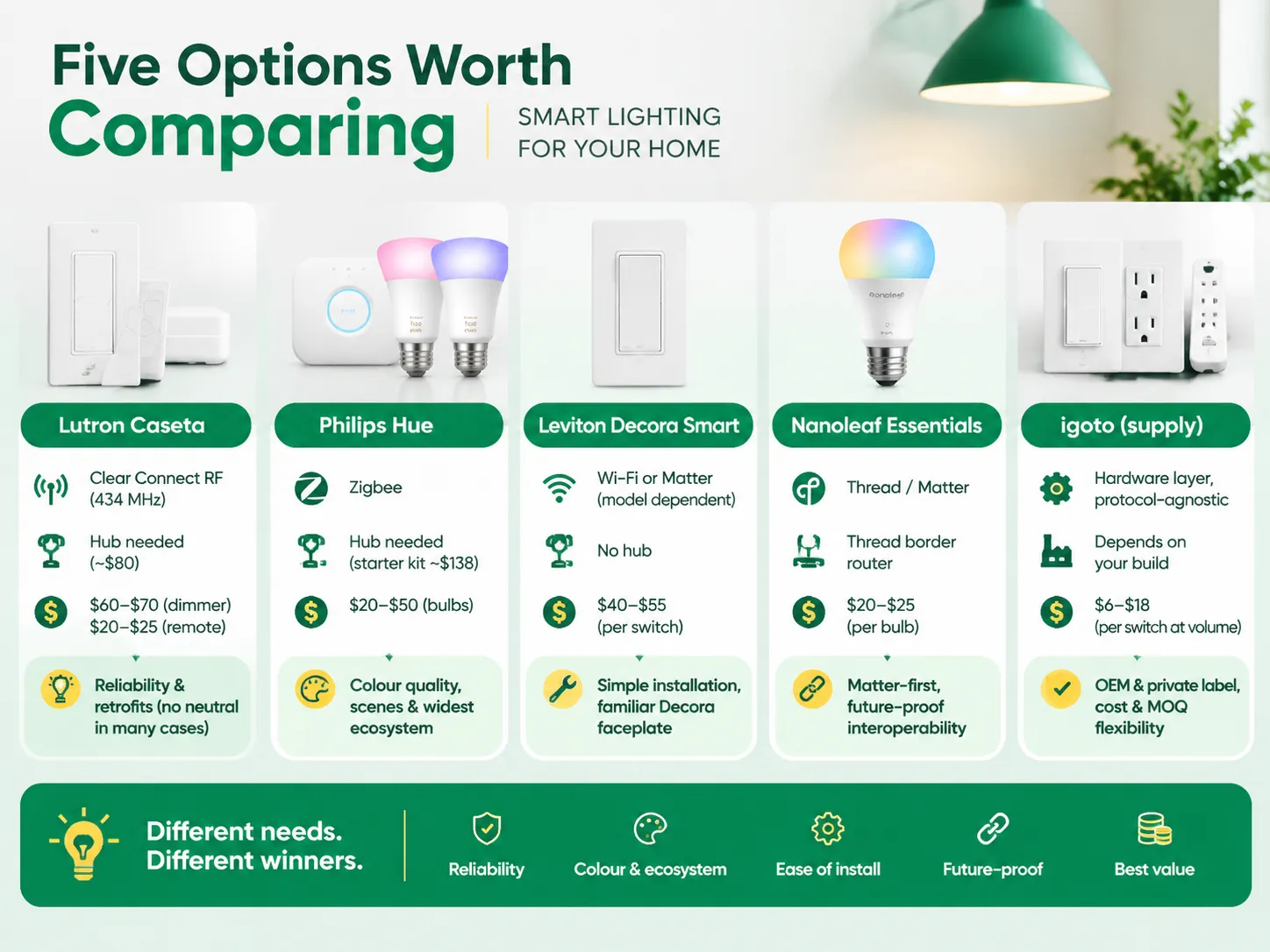
De volgende tabel illustreert hoe de belangrijkste consumentenkanalen zich verhouden tot onze hardware standaard. De weergegeven prijzen zijn gemiddelde winkelprijzen die van toepassing zijn op verkopen in de VS, ongeacht promotionele effecten.
| Merk / optie | Protocol | Hub nodig | Typische prijs | Waar het wint |
|---|---|---|---|---|
| Lutron Caseta | Clear Connect RF (434 MHz) | Ja, Smart Hub (~$80) | Dimmer $60–$70; Pico afstandsbediening $20–$25 | Betrouwbaarheid, retrofits zonder neutraal in veel gevallen |
| Philips Hue | Zigbee | Ja, Hue Bridge (starterkit ~$138) | Lampen $20–$50 | Kleurkwaliteit, scènes, de breedste ecosysteemondersteuning |
| Leviton Decora Smart | Wi-Fi of Matter (modelafhankelijk) | Geen hub | $40–$55 per schakelaar | Eenvoudige installatie, vertrouwde Decora afdekplaat |
| Nanoleaf Essentials | Thread / Matter | Thread border router | $20–$25 per lamp | Matter-first huizen, toekomstbestendige interoperabiliteit |
| igoto (levering) | Hardwarelaag, protocolonafhankelijk | Hangt af van jouw bouw | $6–$18 per schakelaar bij volume | OEM en private label, kosten, MOQ flexibiliteit |
Als je op zoek bent naar betrouwbaarheid en de prijs je niet uitmaakt, voldoet Lutron Caseta. De Clear Connect-technologie conflicteert niet met Wi-Fi, Pico-afstandsbedieningen gebruiken batterijen in plaats van bedrading, en Smart Hub ondersteunt tot 75 apparaten. Dimmers zijn ook uniek omdat veel modellen geen neutrale draad vereisen, wat complicaties voor klanten in een ouder huis elimineert. Het nadeel is echter dat het ecosysteem niet veel variaties toestaat, aangezien het eigendom is van Lutron.
Philips Hue blijft de beste keuze als het gaat om kleurverlichting. Nadat de Hue Bridge is ingesteld, ondersteunt het licht comfortabel ongeveer 50 gloeilampen. Hue heeft echter een ernstig nadeel als het gaat om wandbediening: de kracht is die van een gloeilamp samen met een mobiele applicatie. En proberen het op een geschakelde lijn te gebruiken zal je niet de gewenste resultaten opleveren.
Leviton Decora Smart is een optie voor degenen die helemaal geen hub willen gebruiken. Wi-Fi en Matter versies behoren tot dezelfde productcategorie, waardoor dit item compatibel is met reguliere Decora afdekplaten, en de installatie is een kwestie van het omwisselen van twee draden. Het enige nadeel is dezelfde zwakte die inherent is aan Wi-Fi: wanneer het aantal apparaten meer dan 20 overschrijdt, zal de verbinding niet meer erg stabiel zijn.
Nanoleaf Essentials is een perfecte aanbeveling voor degenen die van plan zijn een huis vanaf nul te bouwen. Het feit dat dit product lokaal wordt bediend via een apparaat met Thread-technologie maakt het zeer handig in gebruik.
igoto opereert op een ander niveau, en het is essentieel om precies te begrijpen wat dat inhoudt. We produceren apparaten zoals schakelaars, stopcontacten en stekkerdozen in overeenstemming met de Amerikaanse normen (UL 20 voor schakelaars, UL 498 voor stopcontacten en UL 1363 voor draagbare stekkerdozen) evenals slimme en dimbare versies van deze apparaten en commercialiseren ze onder de OEM en private label namen. Onze slimme dimhardware, zoals de FS328-V 400 W dimmer met geïntegreerde schakelaar, is het soort apparaat waarop een merk zijn eigen naam plaatst en dat in de detailhandel verkoopt. Wat we missen is een consumentenecosysteem, een cloudplatform of een bekende naam, en iedereen die ons direct met Lutron wil vergelijken, moet begrijpen dat het niet gaat om het softwareplatform dat zij krijgen, maar eerder om de doos, certificering en productiekosten.
Als er één deel van dit artikel is om te onthouden, dan is het dit. Als het gaat om het dimproces van draadloze verlichting, is dit waar de zaken aanzienlijk beginnen te verschillen van het marketingaspect.
Als het gaat om dimmers, geldt hun wattageclassificatie niet voor LED-lampen. Een dimmer die is gecertificeerd voor 400 W, kan gecertificeerd zijn voor 150 W LED of 100 W of 60 W LED. Daarom is het belangrijk om te onthouden dat het tweede getal het belangrijke is. Een reden waarom fabrikanten laag wattage apart vermelden voor deze dimmers, is om je te informeren dat het veel lager is omdat LED-stuurprogramma's verschillende belastingprofielen hebben, aangezien ze een lagere vermogensfactor en inschakelstroom hebben.
De minimale belasting is een essentieel onderdeel van het probleem. De werking van de dimmer is afhankelijk van de minimale belasting; bijvoorbeeld, als je één 9 W LED-lamp dimt met een apparaat dat een minimale belasting van 40 W heeft, zal dit helemaal geen uitzondering zijn omdat het basisprincipe niet zal werken. De dimmer heeft een minimale hoeveelheid stroom nodig om zijn controlesystemen van stroom te voorzien en als dit verkeerd gaat, is het resultaat flikkerende of zoemende lichten die zwak gloeien wanneer ze zijn uitgeschakeld.
In oudere huizen is het belang van de twee-draad versus drie-draad opstelling meer dan duidelijk. Bijvoorbeeld, oudere huizen hebben vaak geen neutrale draden in hun schakelkasten, wat betekent dat de stroomafnemende twee-draad slimme dimmer moet worden geïnstalleerd. Optimaal zal het functioneren met een minimale hoeveelheid LED-belasting, maar om dat te bereiken, kunnen bypass-condensatoren nodig zijn.
Ten slotte moet het soort bediening dat je gebruikt overeenkomen met de driver die je hebt. Ten eerste kunnen trailing edge en leading edge dimming niet door elkaar worden gebruikt en elektronische laagspanningsbelastingen en magnetische laagspanningsbelastingen vereisen bepaalde classificaties, dus een lamp die perfect werkt met de ene dimmer, werkt mogelijk helemaal niet met een ander apparaat. Niet elke wandbediening is ook een dimmer — het onderscheid tussen een lichtdimmer schakelaar en een ventilatorschakelaar verrast mensen regelmatig, omdat motorbelastingen hun eigen snelheidsregeling nodig hebben en het aansluiten van een ventilator op een verlichting dimmer een snelle weg is naar een doorgebrand controller.
| Artikel | Toegang | Middensegment | Premium |
|---|---|---|---|
| Slimme dimmer schakelaar | $25 (Govee-klasse Wi-Fi) | $45 (Leviton, Nanoleaf) | $70 (Lutron Caseta) |
| Slimme lamp, wit | $10 | $20 (Nanoleaf Essentials) | $50 (Hue White & Colour) |
| Hub of brug | $50 | $80 (Lutron Smart Hub) | $90 |
| Draadloze afstandsbediening | $15 | $25 (Pico) | $60 (scene keypad) |
| Bewegingsmelder schakelaar | $25 | $40 | $60 |
| Whole home, ~20 devices | $500 | $900 | $1,200+ |
| Electrician, per switch | $150 | $250 | $350 |
Labour is the underestimated factor. One dimmer is a 20-minute task done by an electrician at one minimum rate; i.e., $150 for the job. This would mean 20 switches can be accomplished in a day ($1,500 to $3,500 worth of labour), plus the cost of the equipment. This is an argument to carry out a lighting control project together with some other electrical job and not as a separate retrofit.If you are sourcing hardware rather than buying retail, the switch itself becomes the cheap part of the project, and the volume pricing bands that apply to ze een schakelaar- en stekkerfabrikant kiezen are where the cost actually moves.
The hard part does not lie in the installation. The difficult part is maintenance as the problems faced by a wireless system are difficult to resolve than those faced by wired systems.
Before starting the installation process check if there is a neutral wire in the panel. Take a picture of the current wiring configuration before disconnecting any wires. Measure the depth of the box as some of the smart devices tend to be deeper than the mechanical switches. The depth of the box should be checked before installation process. The step-by-step for a standard swap is set out in hoe u een dimschakelaar installeert, and it is worth reading before you turn the breaker off rather than after.
Once you have finished the installation, don’t forget to update your firmware before composing your automations. The reason for doing this is that whenever firmware is updated, some behaviour gets reset and you do not want to go through the debugging of your automation twice.
Maintenance in practice:
Make sure that you combine the technology with the building plan it suits the most.
There are basically three workable methods. First, replace your normal wall switch with a smart one or a dimmer switch, which allows you to retain the normal usage of a wall switch and is a tried-and-tested method. Second, remove your old bulbs and simply replace them with smart light bulbs, which needs no wiring but works only while the wall switch is kept on. Third, add a remote or a keypad which can connect to the lights, meaning this is the least expensive solution to have a second way to control your lights when running a cable is difficult. All three need something to connect your smartphone to the lights — either a hub for Zigbee and Z-Wave, a Thread border router for Matter, or via the local Wi-Fi. If you want to use voice operations or schedule events then you need to have the hub or connect to the cloud, not just have a device.
Two systems exist for this purpose: schedules and timers are used to turn lights on during pre-determined time of day, which is essentially standard anti-theft precaution and works if your phone is switched off. Another aspect is “presence simulation” or randomisation. They make sure that lights are switched on at a random time interval and thus prevent apparent schedule based on mechanical process. The second mode is geofencing, used by the system to turn off lights after having detected that all mobile devices are out of the house. Then, the system switches lights with the help of randomisation. However, be careful and check what happens when internet connection is lost: if you are relying on the cloud-based scheduling system, it will not operate properly when the internet does not work, while if you use an intelligent hub to schedule lighting, it will operate properly without internet. Test your system out by taking your router out of the socket for a night.
Remote means that the device will need to be connected to the cloud, or have an alternate method of connecting remotely. In essence, you have a couple of options: you could use the manufacturer’s app over the Internet, a voice assistant linked to the same account, a smart home platform such as Apple Home or Google Home to act as the bridge, or you can set up a remote connection to a local hub. In most consumer products, the default option is to go through the manufacturer’s app, which is simple enough but relies heavily on the vendor’s servers being online and the device being supported. The latest thing in all of this is the move towards using Matter technology to allow local control of devices. It means that the devices can work locally while still being controlled remotely via the ecosystem’s infrastructure. Regardless of the path taken, it is important to enable two-step authentication in the account because the cloud-controlled lighting system with a simple password proves to be an invitation for the wrong people to find out that there are no people at home.
Depending on where the intelligence is housed, automations can be affected completely. If the application, scene logic, and schedule are all in the cloud, a lack of internet service brings automation to a halt and you are left with using your wall switches, which is why it is so important to implement physical wall control in the designs. If the logic is running on a local hub, which is how Lutron’s Smart Hub, Hue’s Bridge, and Matter-over-Thread usually function, then the automation continues to function locally even though remote access is lost. The only scenario that is not going to work is using a Wi-Fi bulb without a hub in a situation where the router has gone down. Before purchasing, you need to make sure to ask one question: does the application respond through the wall switch or remote switch when the router is unplugged? If the answer is no, then this is one system you should not introduce into a household with people present during an outage.
When it comes to wireless lighting controls, it is crucial to think ahead in terms of protocols since you will have a lot of devices in use pretty soon. Initially, opt for something like Matter with Thread and also remember to incorporate wall control that will remain intact in case of unforeseen internet outages. Start with testing one dimmable lamp and dimmer instead of buying and pairing multiple bulbs and dimmers at first.
There are three things to keep in mind. Firstly, look at the LED wattage rating you are going to use and not the incandescent one, check minimum load requirements as well. Secondly, make sure that there is a neutral wire in the switch box. Otherwise, it will define the whole product line that you can choose from. Lastly, be careful with the money you are going to spend on labor as this cost often surpasses the hardware one. And if you decide to manufacture the hardware on your own, don’t forget to check igoto that manufactures switches, dimmers, and sockets to UL requirements.
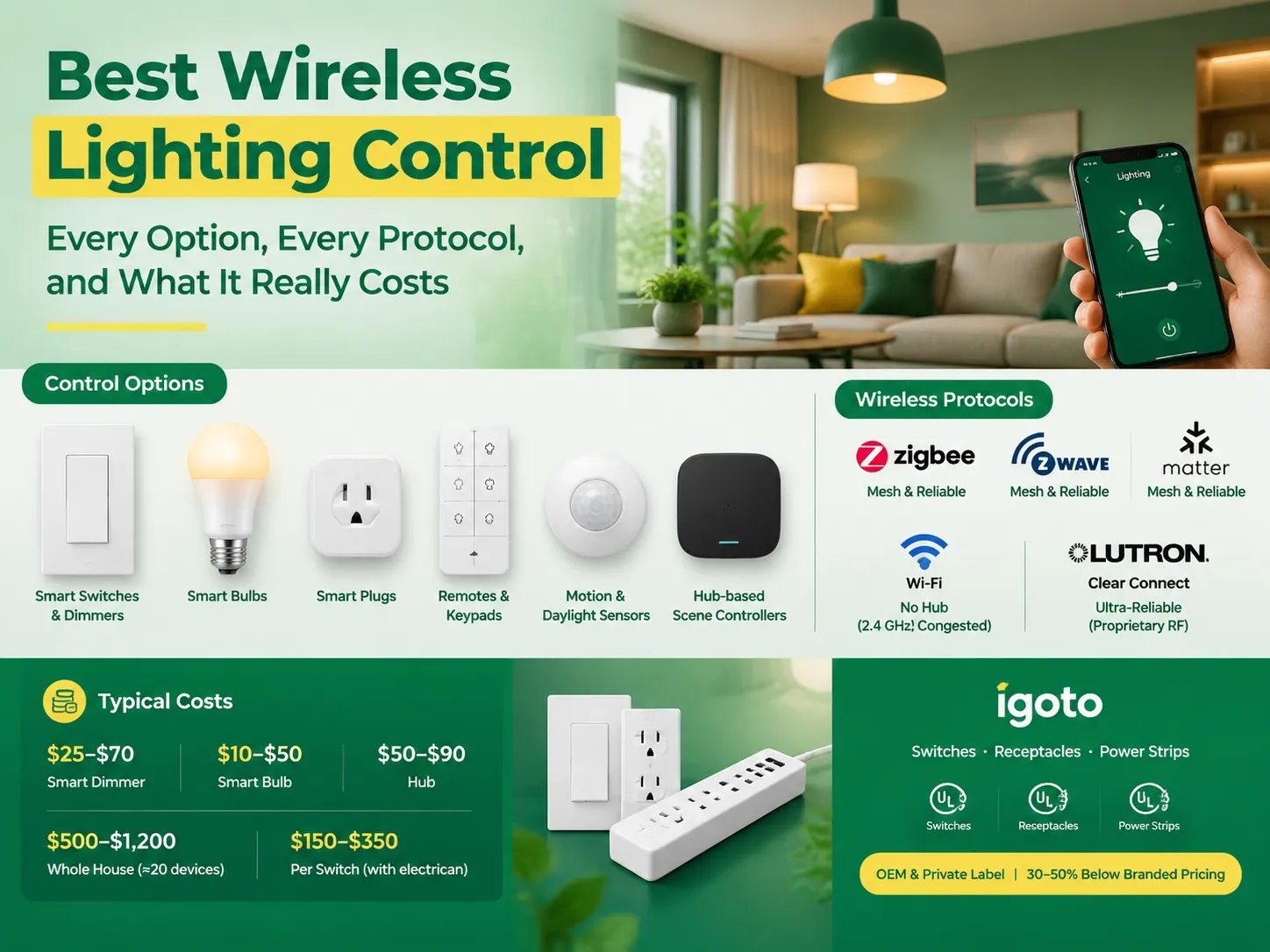
Draadloze lichtregeling heeft een vies klein geheim: terwijl het vaak uitzonderlijk goed werkt in demonstraties, laat het mensen in hun huizen vaak in de steek. De schuldige is zelden de app; in plaats daarvan ligt het achter de muur. Deze gids presenteert de keuzes op een ordelijke manier. Zes manieren om licht draadloos te regelen, vijf protocollen die […]
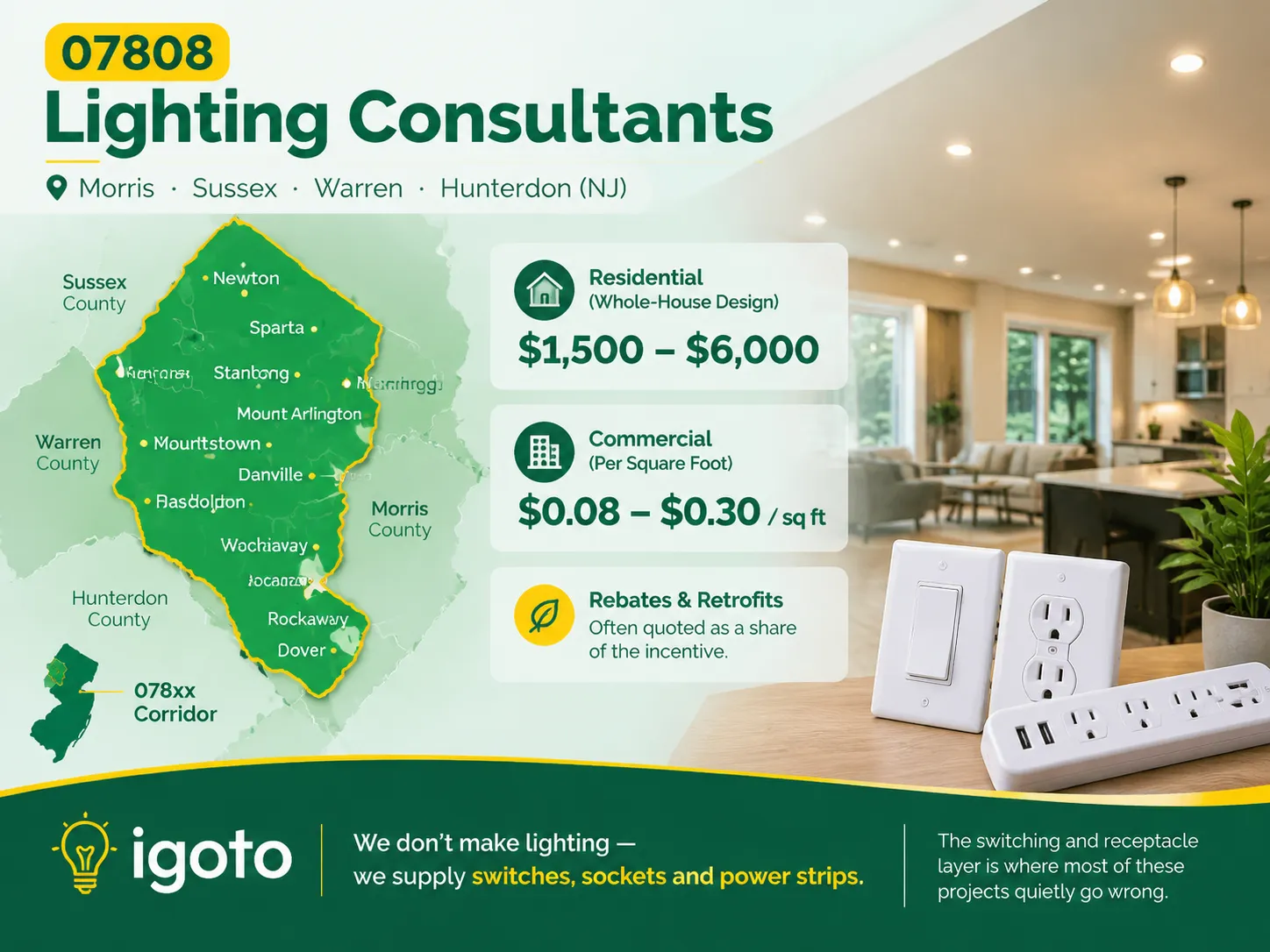
Wanneer je zoekt naar de postcode 07808, wordt niet verwacht dat je iets nuttigs vindt. Dit komt omdat deze code nooit is gebruikt, maar het is significant voor sommige plaatsen in New Jersey waar het gebrek aan verlichting kan worden waargenomen vanwege enkele oude gebouwen die in het gebied staan en het gebrek aan […]
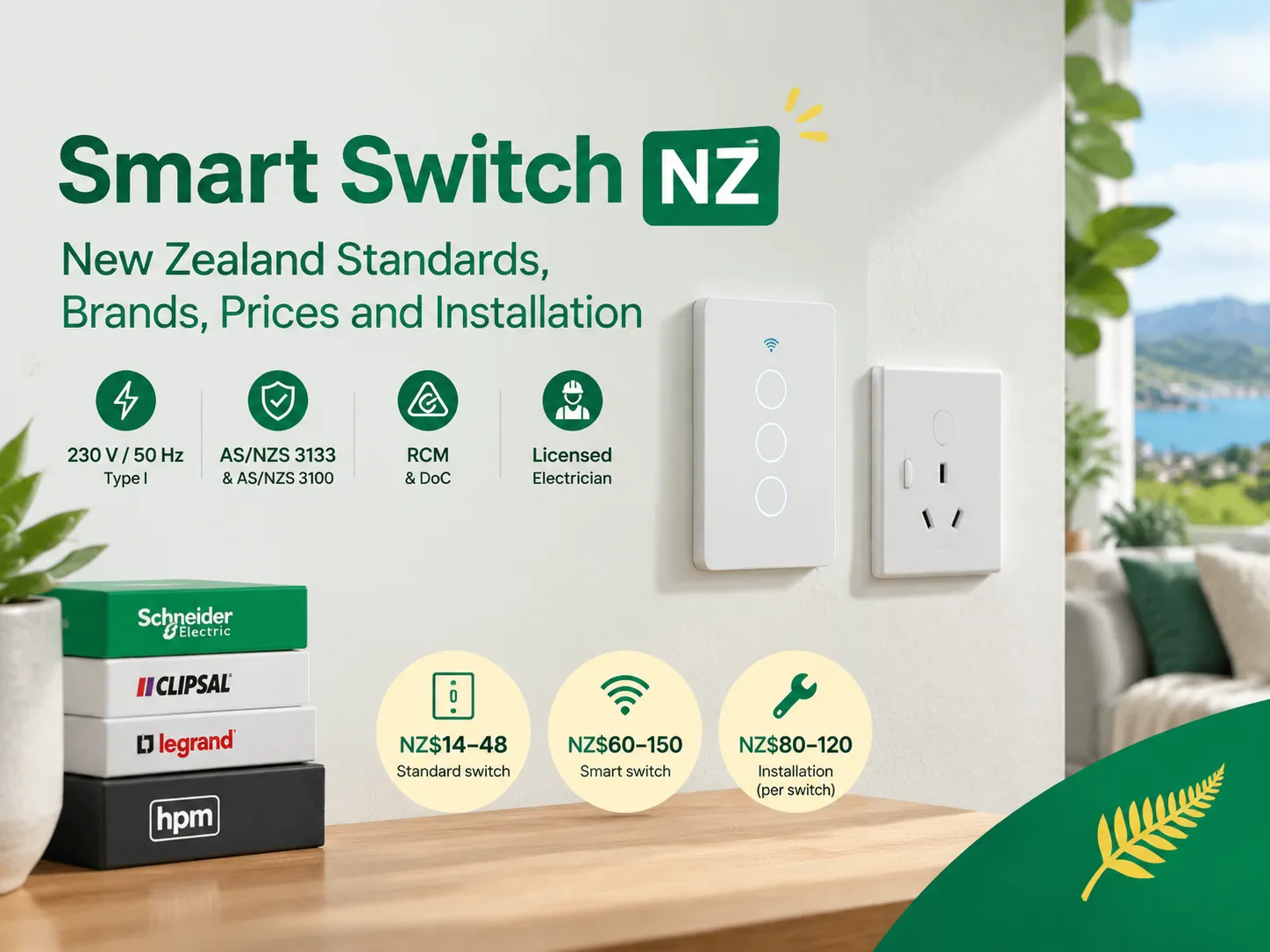
Nieuw-Zeeland is een kleine maar onderscheidende elektrische markt. Als u slimme schakelaars in Nieuw-Zeeland koopt, heeft u te maken met een stekkerstandaard die anders is dan overal ter wereld, een goedkeuringsproces met zijn eigen papierwerk, en een bedrading systeem dat de helft van de slimme schakelaars modellen die in het buitenland beschikbaar zijn, uitsluit. […]

 No.6 Tuozhan Road, Leshang Pioneer Park, Yueqingwan Bay Harbor, Yueqing stad, provincie Zhejiang


