

Installing an HDMI wall plate helps to achieve a clean look in your entertainment area since it hides the unsightly mess of cables behind the wall. It also provides a secure, easy-to-use connector for all of your devices, including televisions, projectors, and many others, allowing you to send high-definition video and audio signals over long distances. In addition, an HDMI wall plate will help keep your cables out of harm’s way, decreasing the chance of damage, and minimizing the risk of accidents associated with walkways obstructed by cables.
It Is a Good Idea to Use Wall-Rated HDMI Cables when Installing the HDMI Wall Plate. Wall-Rated HDMI Cables (CL2/CL3 Rated) are Specifically Rated for Use in the Walls of Homes to Ensure Compliance with Local Building Codes, Including Protection From Fire.
The HDMI Wall Plate is a Wall Mounting Connector That Provides a Connection Between the Devices Inside the Wall and the Devices Outside the Wall. The HDMI Wall Plate Is Attached to a Cable That is Installed During Construction, Allowing You to Connect All of Your Equipment (TVs, Projectors, Etc.) Without Having To Worry About Exposed Wires or Cables, Making It Easy to Install Your Equipment While Maintaining a Stable Connection and So That It Can Support High Definition HDMI Signals (4K Video, etc.) and Surround Sound.
An advantage of having an HDMI port is that it allows for the simultaneous transmission of both video and audio on one single cable. As such, you can use one HDMI cable versus many other cables, which will create a more efficient and clean setup.HDMI also supports higher resolutions such as 1080P and 4K, making them ideal for a modern day home theater system or high definition TV.
Running an HDMI cable through a wall can be done safely, as long as you follow certain guidelines and use approved wall-rated HDMI cables. The approved cables for in-wall use, and therefore they will reduce the risk of fire hazards when properly installed according to industry codes of practice. When installing your HDMI cables running inside the wall, you should use wall plates to help route your cables safely, and many cables will come with a secure tie-down method to prevent any damage to your cables while in use. Before performing any installations in your home, it is always suggested to check your local building codes for all installations, and it may be a good idea to hire a professional to help you with complex installations.
From the outset to the finish of the installation, the following are the five steps involved in installing an HDMI wall socket:
When deciding between DisplayPort and HDMI wall sockets, it’s important to consider the types of devices you possess and what you’re intending to use them for.
As HDMI sockets are typically found in most electronics, from TV’s, projectors and video game systems, they will be much more commonplace. Because HDMI can transmit both video (up to and including 4K) and audio (including 7.1 surround sound), many consumers have just gone with HDMI wall sockets for their home electronics setup.
DisplayPort is predominantly used on PC monitors and is capable of supporting higher refresh rates and resolutions compared to HDMI. If your primary use for your electronic devices will be watching consumer oriented content, then an HDMI wall socket will likely fit your needs.However, if you require a more professional level performance from your monitor setup, a DisplayPort wall socket may be optimal for your setup.
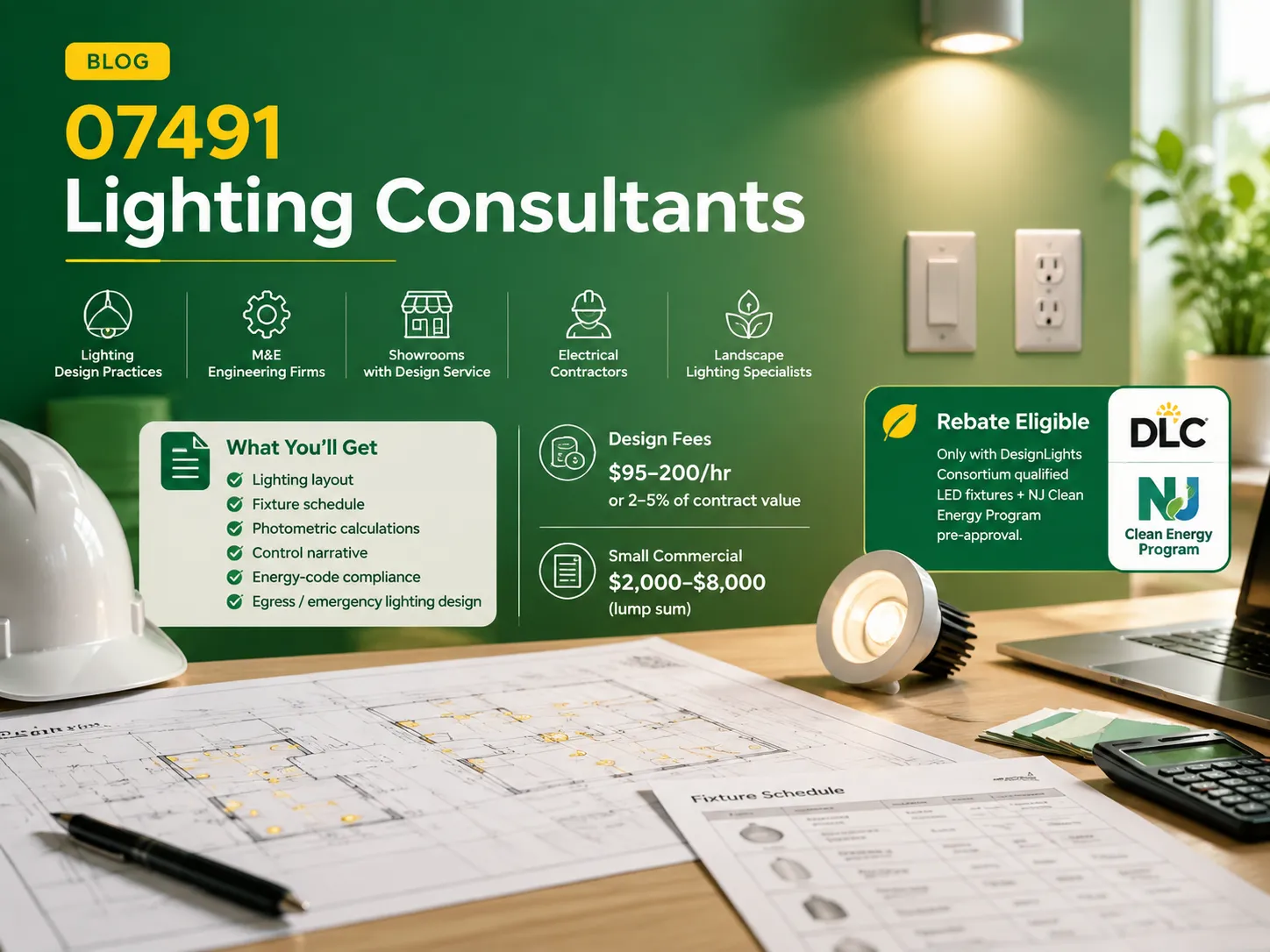
If you need assistance with lighting in the 07491 region, is essential to ask two crucial inquiries: who is operating nearby and how much is charged for the services. Concerning the first question, one can easily find the answer regarding the facts and figures because the market in northern New Jersey is not so broad. […]
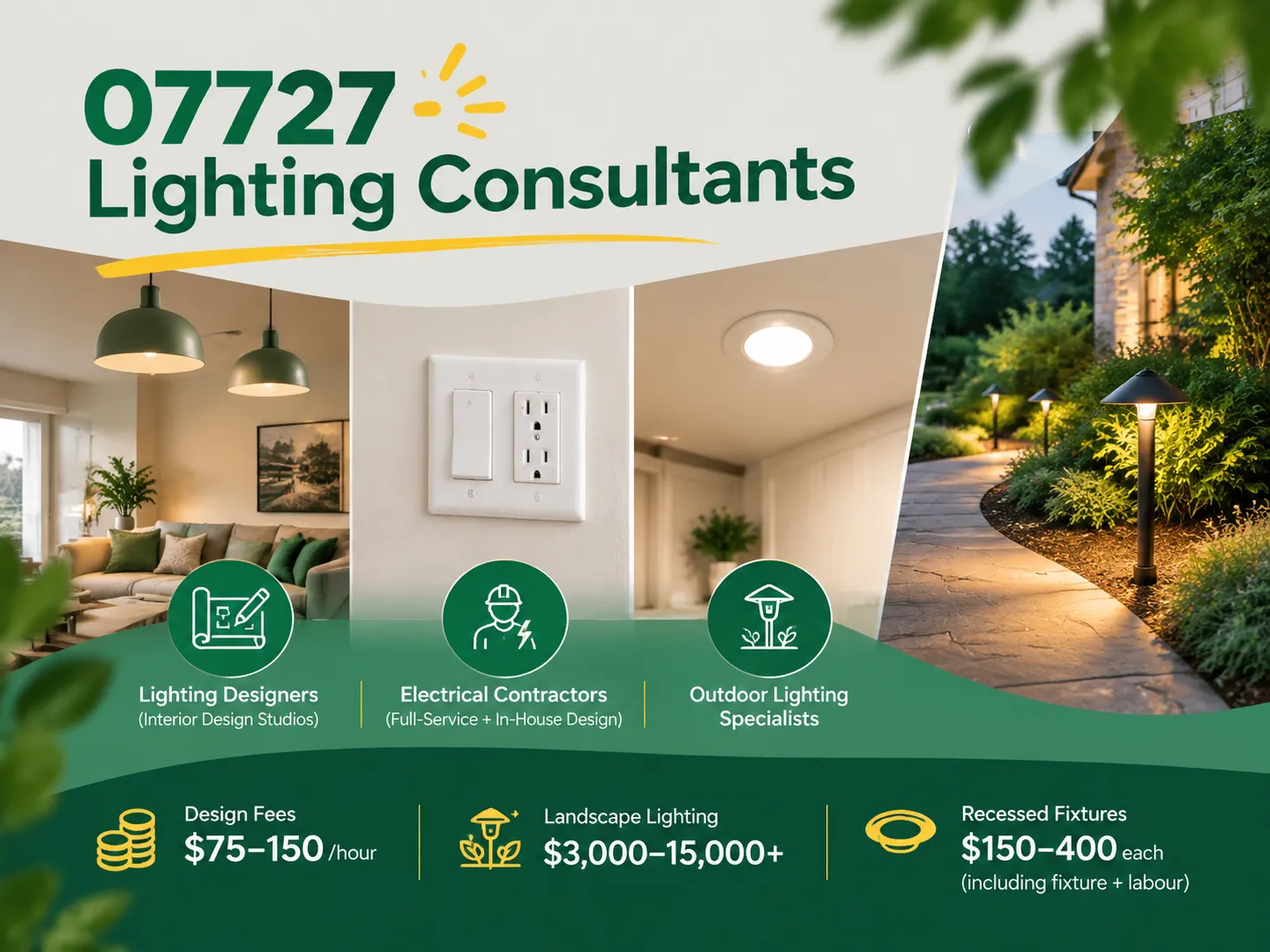
Farmingdale, along with parts of Wall Township and Tinton Falls, New Jersey, share the same zip code of 07727. Most of the houses built from the 1950s to the 1990s still exist today. Most of the homeowners are renovating their houses as opposed to building new homes. Homeowners tend to spend a lot more on […]

The term “07984 lighting consultants” gives people the impression that the five digits represent a postal code of some sort that indicates the place where lighting consultants provide services. This is, however, incorrect: there is no postal area coded 07984, which is only a code of mobile telecommunications in Great Britain. This means that the […]

 No.6 Tuozhan Road, Leshang Pioneer Park,Yueqingwan Bay Harbor,Yueqing city,Zhejiang Province


