

You may be creating an office at home and are fed up with wires on your desk — there is a smartphone, another smartphone, a tablet, and a laptop, and to top it all off, the lamp needs plugging in, too. Or perhaps you are a builder making a kitchen renovation and your client has in mind “the new sockets with USB.” You find it hard to choose between the 15A and 20A versions, as well as between USB-A and USB-C types, and among 15W, 30W, and 60W versions. The market for USB outlets is booming but buyer’s choice is not that simple.
This guide provides you with all the necessary information about how to choose a USB electrical outlet (or USB wall socket and USB power outlet).
In short: A USB electrical outlet is essentially a regular wall socket that has built-in USB charging ports that allow devices to charge without using an adapter. Things to consider when making a purchase: type of ports, as well as charging power, amp rating, and safety certifications. Please note that all you need to do in order to install a USB outlet is to replace a regular socket, because no special wiring is needed, but a smart model is required to have a proper neutral wire and box depth.
A USB wall outlet is a power point that has standard connecting points for electrical current, along with USB connection. Whether you are using it with a smartphone, computer, or tablet, it works altogether without the charger. USB wall sockets come in various standard shapes depending on the types of required output, from basic USB-A sockets (5W-12W) to enhanced USB-C sockets (18W-60W+).It is also sometimes referred to as a USB socket.
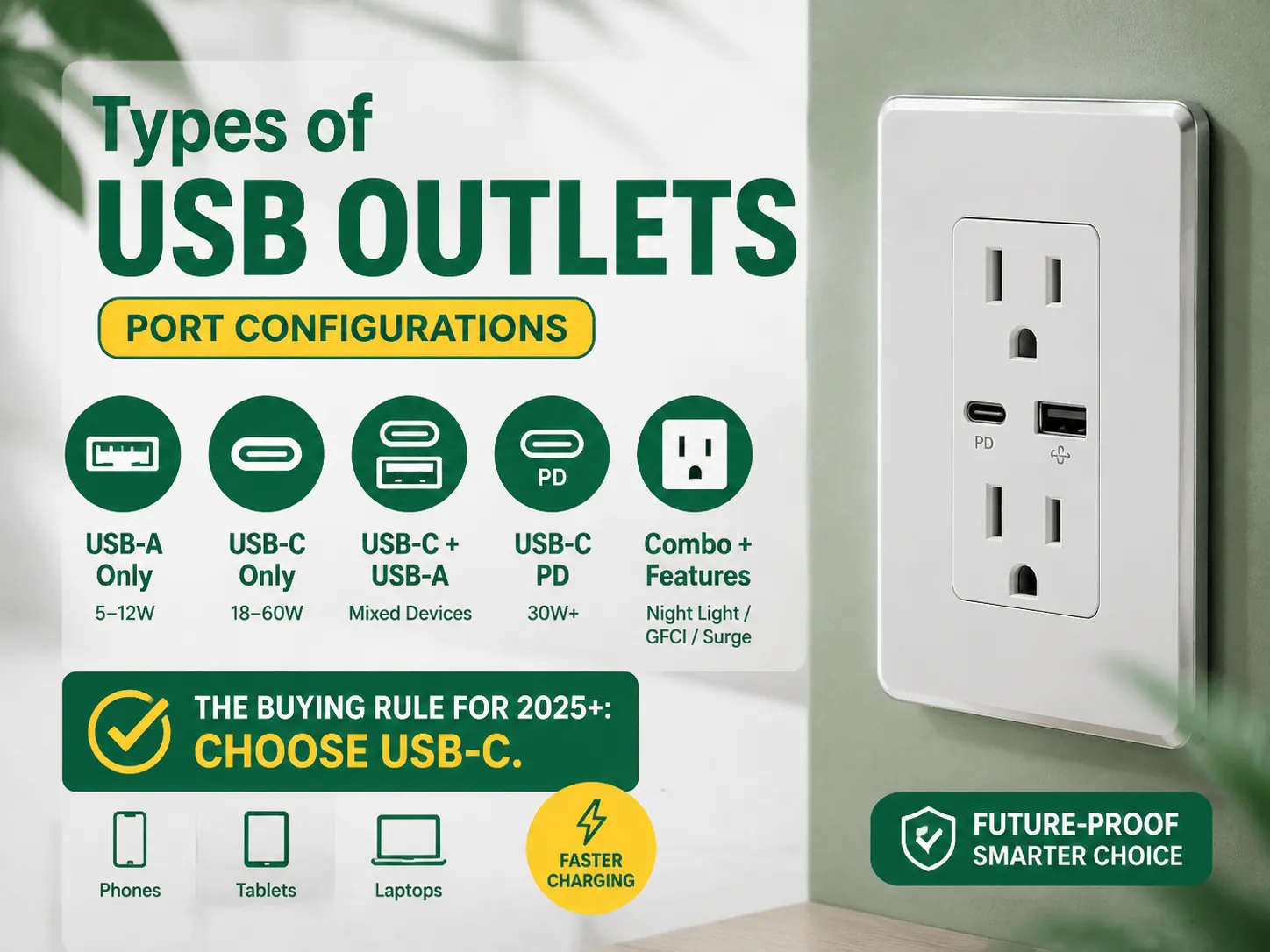
| Type | Ports | Best For | Status |
|---|---|---|---|
| USB-A only | 1–2 USB-A ports (5–12W) | Older phones, basic charging | Being phased out — avoid for new buys |
| USB-C only | 1–2 USB-C ports (18–60W) | Modern phones, tablets, laptops | Current standard — best choice |
| USB-C + USB-A combo | 1 USB-C + 1–2 USB-A | Mixed device households | Popular and practical |
| USB-C PD (Power Delivery) | USB-C with PD protocol (30W+) | Laptops, fast charging | Recommended for power users |
| Combination + features | USB + night light / surge / GFCI | Kitchens, baths, travel homes | Niche but useful |
The purchasing guideline for 2025 onwards is to opt for USB-C. USB-C has become the basic standard in almost all modern smartphone, tablet and laptop models. USB-C Power Delivery also performs charging conversions much faster than do USB-A connections. Outlets that support only USB-A today are utterly obsolete. Moreover, should you need a complete socket update, now is the perfect time to do so.Our guide to light dimmer vs fan switch selection covers the other wiring-device decisions you’ll face in the same project.
The single most important spec is charging power (watts):
| Power | What It Can Charge | Verdict |
|---|---|---|
| 5W (USB-A) | Phones slowly (standard charging) | Adequate for bedside, slow |
| 10–15W | Phones at normal-fast speed | Minimum worth buying |
| 18W (USB-C PD) | Phones fast-charging; small tablets | Good minimum for USB-C |
| 30W (USB-C PD) | Small laptops, tablets, two phones at once | Recommended standard — e.g., Leviton T5635 (2×USB-C, 30W) |
| 45–60W (USB-C PD) | Most laptops, fast-charging two devices | Best for home offices — e.g., Leviton T5636 (60W) |
Key terms: PD (Power Delivery) refers to the fast charging technology used in USB-C; look for “PD” on your charger! Wattage is commonly shared across the USB ports e.g. “30W in total” so check how power is divided if two devices charge. When charging at the same time check the amp rating of the AC side.
| Room / Use | Recommended Spec | Why |
|---|---|---|
| Bedside | USB-A + USB-C, 15–30W | Phones/tablets overnight; low-power fine |
| Home office / desk | USB-C PD 30–60W | Laptop + phone fast charging from one outlet |
| Kitchen counter | USB-C PD 30W, 20A if on 20A circuit | Tablets on the counter; check GFCI requirements |
| Living room / family | USB-C + USB-A combo, 30W | Mixed devices; one port for older gadgets |
| Entryway / mudroom | Basic USB-C 15–30W | Quick charging before leaving |
| Commercial / retail | Durable 30W USB-C PD, tamper-resistant | Customer/guest charging; heavy use |
| Bathroom / outdoors | GFCI-protected USB outlet | Code requires GFCI protection in wet locations |
When selecting a USB outlet, the name of the brand is very important as incorrect USB devices have been linked to breakdowns and fires. Some reliable manufacturers and prices of their devices are mentioned below:
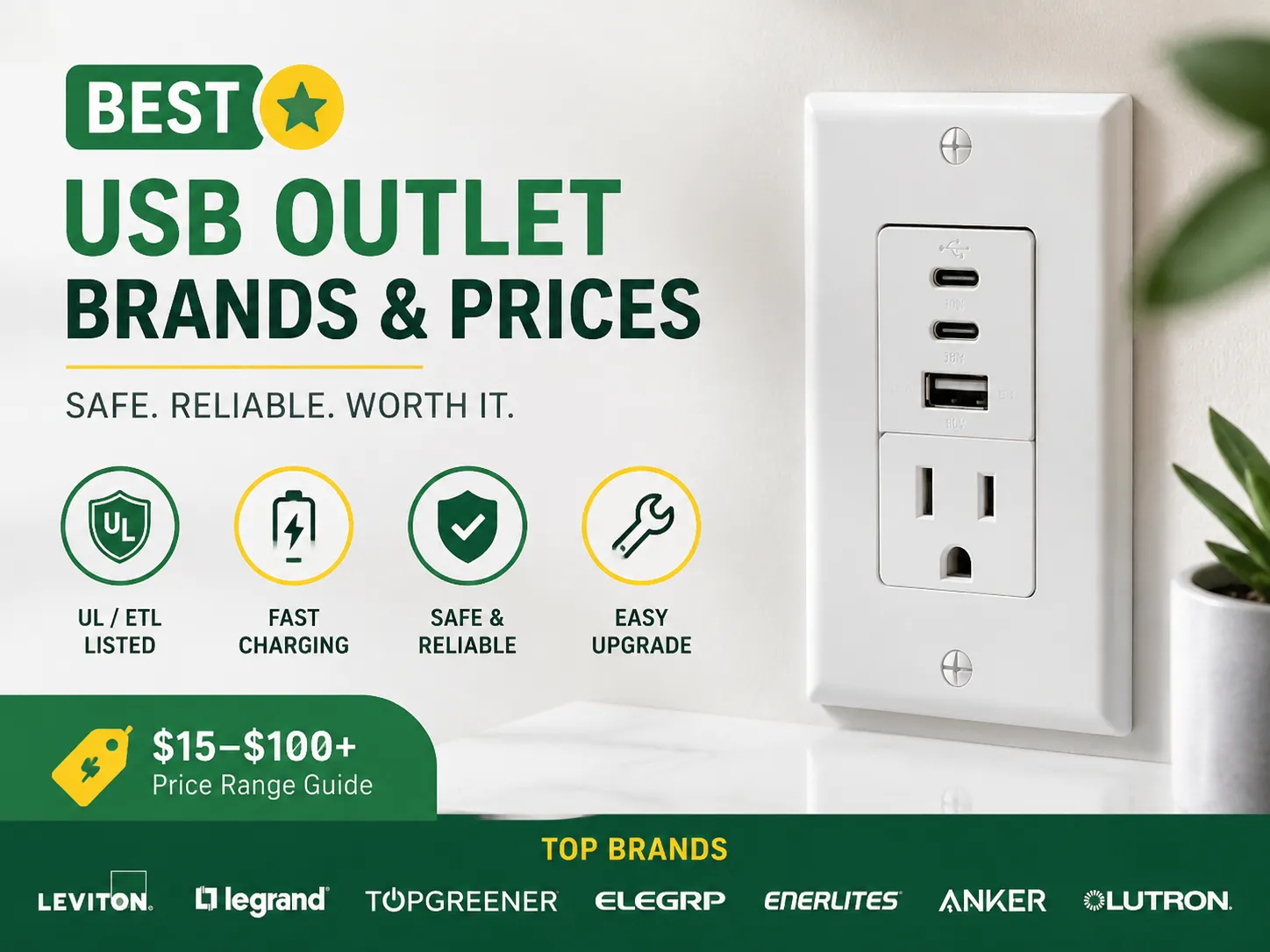
| Brand | Price Range | Notable Models / Features | Best For |
|---|---|---|---|
| Leviton | $25–$60 | T5635 (2×USB-C, 30W), T5636 (60W), USB-A+PD combos; UL-listed, tamper-resistant | Overall best, professional installs |
| Legrand | $30–$70 | Radiant R26USBPD (2×USB-C 30W, charge-status lights); lifetime warranty | High-end, aesthetics |
| TopGreener | $15–$40 | USB-C PD 30W options; good value, ETL-listed | DIY, flips, budget |
| ELEGRP | $20–$50 | USB-C PD models; affordable fast charging | Budget-conscious upgrades |
| Enerlites | $15–$35 | Basic but reliable USB-A/C | Rentals, basic needs |
| Anker | $20–$40 | PowerExtend USB-C outlet (30W + USB-A); ETL-listed | Budget with brand trust |
| Lutron | $40–$100+ | Smart integration options | Smart home setups |
Don’t buy: No-name brand USB outlets priced between $8 and $12, because they are likely to be of poor quality, unreliable, hot, and unrecognized (for insurance and inspection purposes). You should acquire devices produced by a reputable manufacturing company.
Although certain circumstances require a built-in USB socket, there are several alternatives available:
When the option of a built-in outlet is not favorable because of price and mobility, the opportunity of providing good old-fashioned permanent charging comes into play.
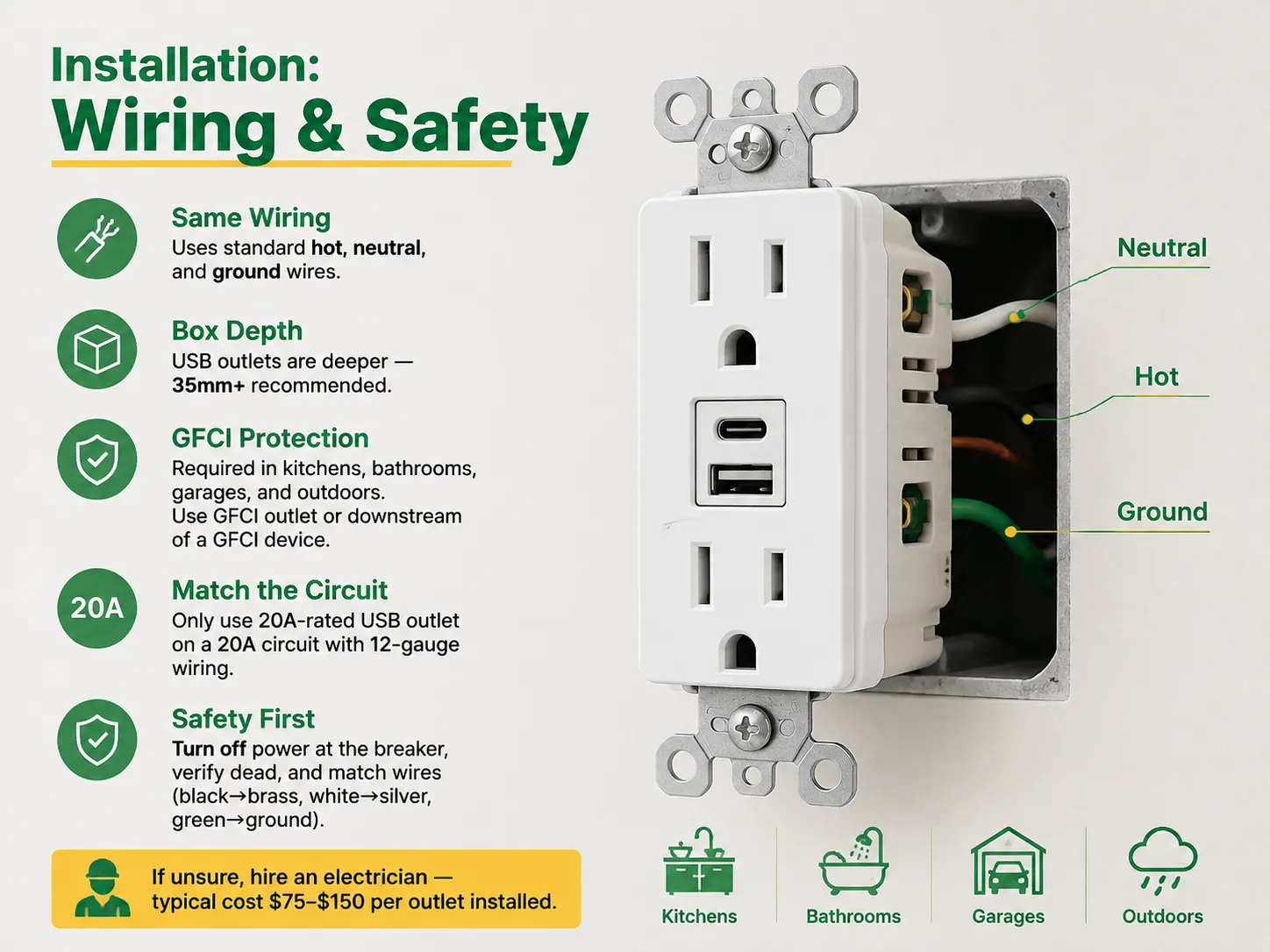
Does wiring need to be different when using USB outlets? No — they utilize the same wiring technique as regular outlets. The USB outlet substitutes the 15A/20A outlet with the same electrical wiring, including hot, ground, and neutral wires. However, there are a few things to keep in mind:
| Problem | Cause | Solution |
|---|---|---|
| Ports stop charging after months | Cheap components / no protection | Buy UL/ETL-listed outlets from known brands |
| Charges very slowly | Low-power ports (5–10W) | Choose 18W+ USB-C PD; check shared-wattage split |
| Won’t fit the wall box | Box too shallow | Check depth (35mm+) or use a deeper box |
| Charging stops / flickers under load | Overload or poor contacts | Respect shared wattage; use quality outlet |
| GFCI trips in kitchen/bath | USB outlet not GFCI-protected | Use GFCI-protected USB outlet or upstream GFCI |
| USB-C doesn’t fast-charge a laptop | Port lacks PD or wattage too low | Choose 30–60W PD model for laptops |
The answer is NO — USB outlets connect the same way as usual outlets: hot (black) to the brass screw, neutral (white) to the silver screw, and ground (green/bare) to the green screw. USB outlets simply take the place of a standard receptacle on the same circuit without requiring further wiring. The two main aspects to consider regarding installation are the depth of the box (USB outlets are deeper then standard outlets — most need a 35 mm or deeper box) and GFCI requirements for wet locations (kitchen, bathroom, garage, outside), in which USB outlets should be GFCI operated.
Absolutely – USB outlets are reliable when you purchase them from a well-known brand that is properly vetted (UL/ETL accepted). The reason for this is that USB outlets come with charging system which features protection against excess current, excess voltage and short-circuits, which is why USB outlets comply with approved safety regulations just like other wiring devices. Nonetheless, USB outlets made by others are very problematic due to having poor quality parts and can get hot or may not meet quality standards. Be careful and purchase USB outlets from all the brands including Leviton, Legrand, TopGreener or ELEGRP to make sure they are installed properly.
Certainly — one can replace the standard power socket with USB ports without hassle as they use the same wiring (hot, neutral, ground). However, it should be checked whether the junction box depth is sufficient to accommodate the USB port. USB receptacles being deeper than standard ones may not fit in standard shallows boxes (like the 25 mm box) Therefore it is important to check whether the box is deep enough or a low-profile model is needed. Verify that the circuit capacity is suitable for your USB outlet. The installation process is something that one can do easily in 15-30 minutes, depending on their skills. Otherwise, one will need to hire an electrician for $75-150.
There are various types of problems related to USB wall outlets. These are (1) ports which become non-functional after some months, due to use of cheap, uncertified components; (2) slow charging resulti from the use of low-wattage ports (5-10W), or shared wattage of multiple connected devices; (3) the wall outlet not fitting the wall box because of its depth; (4) GFCI tripping in bathrooms and kitchens, even though the outlet is not GFCI-protected; (5) USB-C port not charging a laptop properly because of the lack of PD or not enough wattage (30-60W is required). Most of these troubles can be avoided by purchasing the certified outlets with PD over 18W, and checking the box depth and GFCI requirements.
Electric facilities that feature USB ports have become an excellent option that could be installed in order to reduce the amount of adapters used for charging any devices. Making a decision to purchase such outlets depends on four features that are important: the presence of USB-C ports, charging capacity (for regular phones it should be 18 W, 30 W for laptops, and 60 W for powerful units), ampere rating and whether the company is certified by UL/ETL.
The process of installation is straightforward, as existing wiring can be used without any special cables — just make sure that you are familiar with the depth of the box and the GFCI requirements in wet environments, or hire an electrician who would charge $75 – $150 for their service. The prices for different outlets vary from $15 to $70 which means that the best option would be with the price between $25 and $50.
Farmingdale, along with parts of Wall Township and Tinton Falls, New Jersey, share the same zip code of 07727. Most of the houses built from the 1950s to the 1990s still exist today. Most of the homeowners are renovating their houses as opposed to building new homes. Homeowners tend to spend a lot more on […]

The term “07984 lighting consultants” gives people the impression that the five digits represent a postal code of some sort that indicates the place where lighting consultants provide services. This is, however, incorrect: there is no postal area coded 07984, which is only a code of mobile telecommunications in Great Britain. This means that the […]
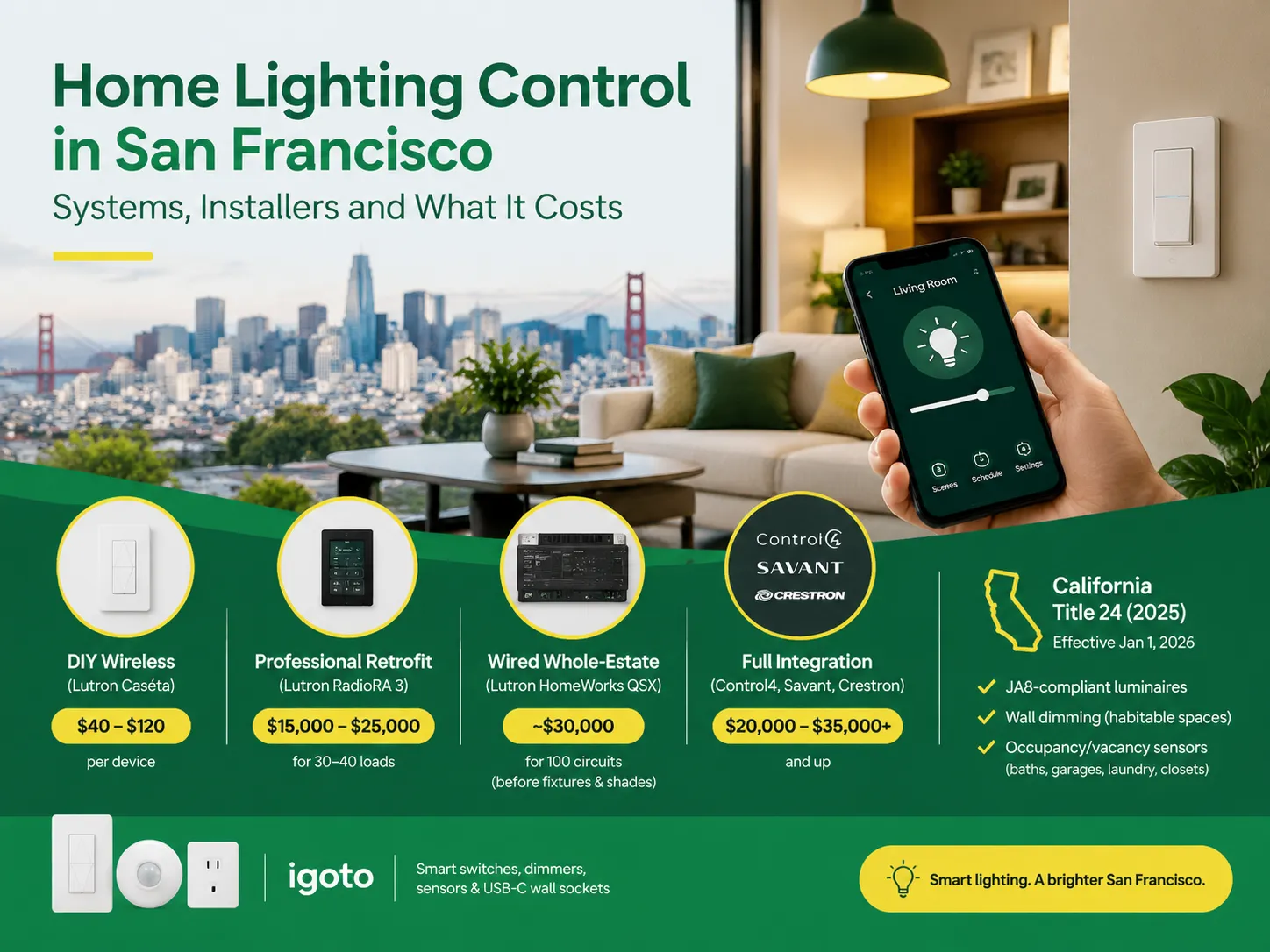
San Francisco is not the average lighting control market. The housing stock is old and dense, and the electrical code does not allow for as many electrical installations as is allowed almost anywhere else in the U.S. Most homes that want complex lighting are Victorian or Edwardian buildings where no one wants to start opening […]

 No.6 Tuozhan Road, Leshang Pioneer Park,Yueqingwan Bay Harbor,Yueqing city,Zhejiang Province


