

Wireless lighting control has a dirty little secret: while it often works exceptionally well in demonstrations, it tends to let people down in their homes. The culprit is hardly ever the app; instead it lies behind the wall.This guide presents the choices in an orderly fashion. Six ways of controlling light wirelessly, five protocols that matter, five brands worth a look including our own, where dimming systems fail, hardware costs, and maintenance practices that will keep a wireless system operational after the third year.
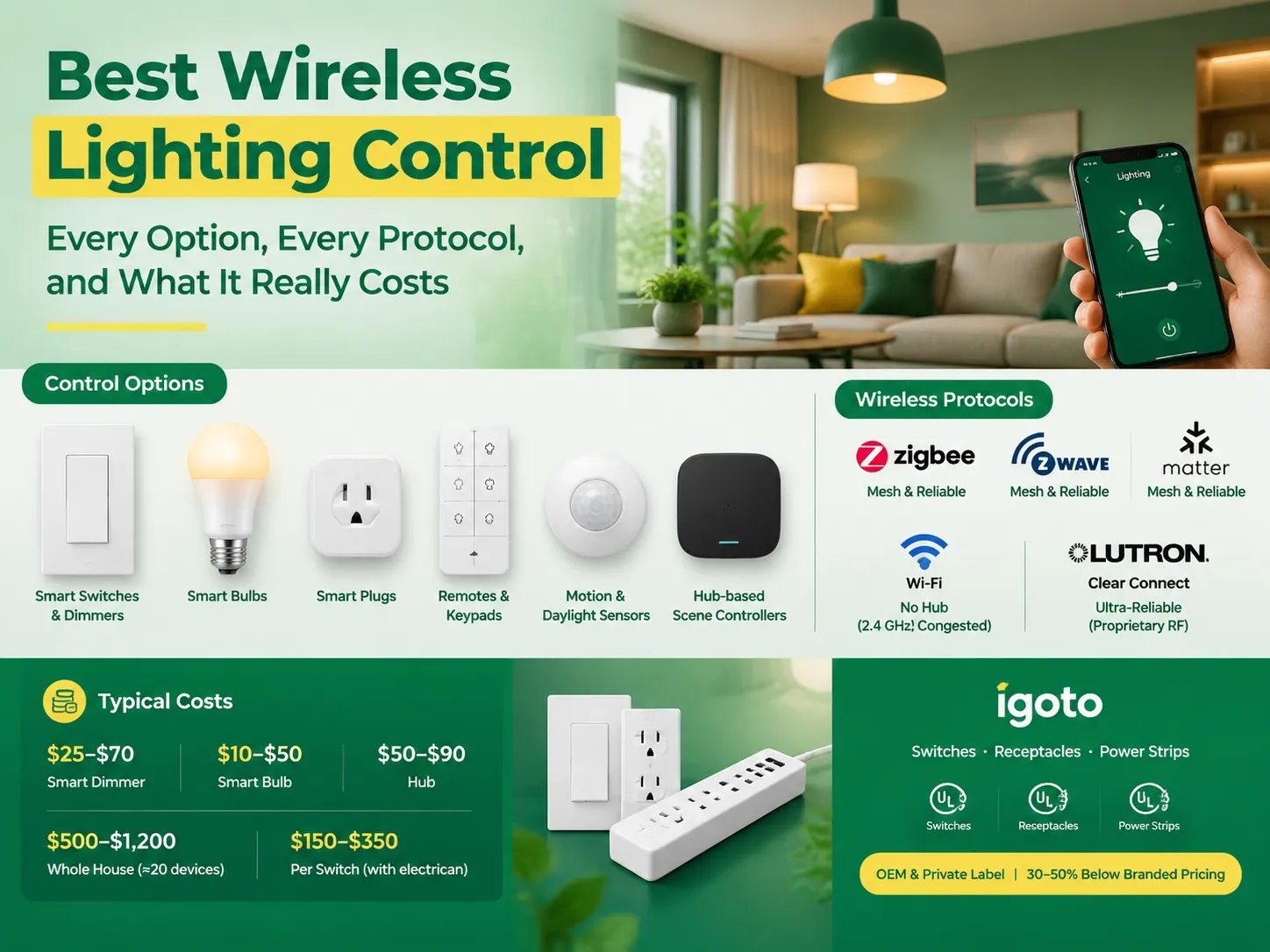
In summary, the most popular option for controlling lighting wirelessly include smart bulbs, in-wall smart dimmers, wireless remotes and keypads, and smart plugs. The three protocols which are considered to be the best allowing for effective use of mesh network are Zigbee, Z-Wave, and Matter-over-Thread. Wi-Fi does not need any hubs, but it makes the already busy 2.4 GHz frequency band even busier. As for proprietary RF solutions like Lutron systems, they offer amazing reliability, but they don’t work well with other systems. Pricing ranges from $25 to $70 per smart dimmer, $10 to $50 per smart bulb, $50 to $90 for a hub, and $500 to $1,200 for whole house automation setup. These prices do not include installation services that are charged by electricians (at the price of $150 to $350). The igoto company supplies all the necessary equipment for building the hardware of the above-mentioned systems using UL 20, UL 498, and UL 1363 switches as OEMs for its clients thus helping them save up to 50% on costs compared to regular retail prices.
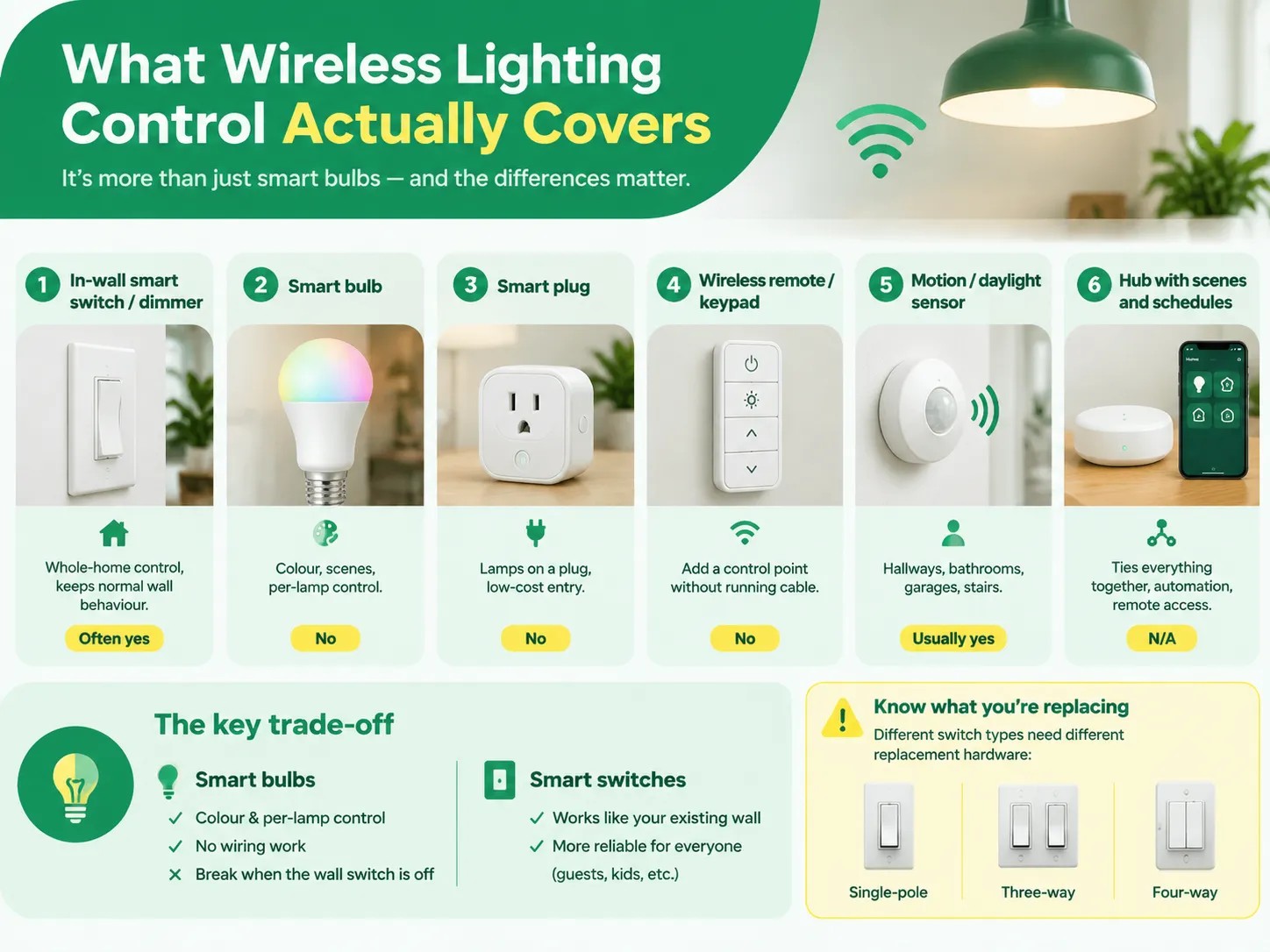
This category of products is much larger than “smart bulbs,” and it is important to distinguish them because of the problems they each solve. It turns out that there are only six ways to control lights wirelessly, and this mistake will end up forcing a customer to have three apps.
| Method | What it replaces | Best for | Needs neutral? |
|---|---|---|---|
| In-wall smart switch / dimmer | The wall switch itself | Whole-home control, keeping normal wall behaviour | Often yes, not always |
| Smart bulb | The lamp | Rentals, colour and scene effects | No — but the switch must stay on |
| Smart plug | The socket | Lamps on a plug, low-cost entry | No |
| Wireless remote / keypad | A second switch position | Adding a control point without running cable | No |
| Motion / daylight sensor | Human decision-making | Hallways, bathrooms, garages, stairs | Usually yes for line-powered types |
| Hub with scenes and schedules | Nothing physical | Tying everything together, automation, remote access | N/A |
The fundamental challenge is in choosing between managing the light at source or managing at the switch. Smart light bulbs allow the user to have color choices, flexibility to manage each individual lamp separately and no need for wiring, but they fail as soon as someone clicks the wall switch. In a house where there are guests or kids present, it is only a matter of time when someone will flip the switch. Smart wall switches keep the wall function normally which is a bigger deal than it looks like. If you need both smart wall switches and smart light bulbs, smart light bulbs will only work in selected fixtures rather than replacing traditional light bulbs with smart ones everywhere.
It also helps to know what you are replacing. The device being swapped out is a mechanical switch with a specific type and rating, and the different kinds of switches used in electrical installations are not interchangeable — a three-way circuit, a four-way circuit and a single-pole circuit each need different replacement hardware, and buying the wrong cassette is the single most common pre-installation mistake.
When selecting a protocol, whether you’re aware of it or not, your decision determines how dependable your system will be in five years.
A useful principle is to not implement a system that relies on three protocols unless it is Matter-enabled. Working with Zigbee and Z-Wave processors and Wi-Fi apps to achieve the same results would mean implementing three different automation solutions that may be neglected when maintenance activities start.
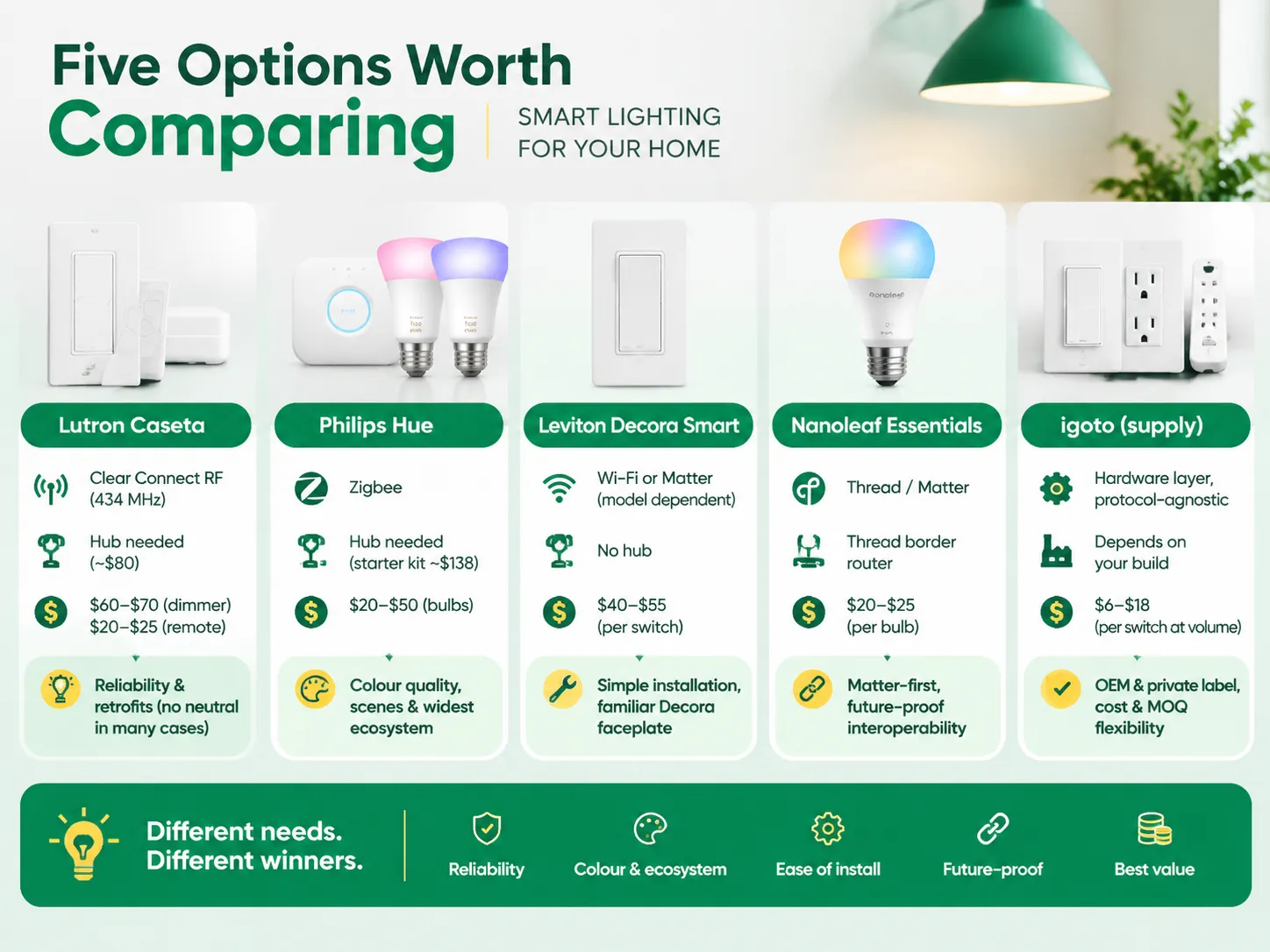
The following table illustrates how the main consumer channels compare with our hardware stand. The prices displayed represent average retail pricing applicable to US sales regardless of promotional effects.
| Brand / option | Protocol | Hub needed | Typical price | Where it wins |
|---|---|---|---|---|
| Lutron Caseta | Clear Connect RF (434 MHz) | Yes, Smart Hub (~$80) | Dimmer $60–$70; Pico remote $20–$25 | Reliability, retrofits without neutral in many cases |
| Philips Hue | Zigbee | Yes, Hue Bridge (starter kit ~$138) | Bulbs $20–$50 | Colour quality, scenes, the widest ecosystem support |
| Leviton Decora Smart | Wi-Fi or Matter (model dependent) | No hub | $40–$55 per switch | Simple installation, familiar Decora faceplate |
| Nanoleaf Essentials | Thread / Matter | Thread border router | $20–$25 per bulb | Matter-first homes, future-proof interoperability |
| igoto (supply) | Hardware layer, protocol-agnostic | Depends on your build | $6–$18 per switch at volume | OEM and private label, cost, MOQ flexibility |
If you are looking for reliability and don’t mind the price, Lutron Caseta measures up. Its Clear Connect technology does not conflict with Wi-Fi, Pico remotes use batteries instead of any wiring, and Smart Hub deploys up to 75 devices. Dimmers are also unique because many models do not require a neutral wire, which eliminates complications for customers in an older house. However, the downside is that the ecosystem doesn’t allow many variations since it is owned by Lutron.
Philips Hue remains the best choice when it comes to color lighting. After the Hue Bridge is set up, the light will comfortably support approximately 50 lightbulbs. However, Hue has a serious drawback when it comes to wall control: its strength is that of a light bulb together with a mobile application. And trying to use it on a switched line will not bring you the desired results.
Leviton Decora Smart is an option for those who want to avoid using the hub altogether. Wi-Fi and Matter versions belong to the same product category, making this item compatible with regular Decora face plates, and its installation is a matter of switching two wires. Its only drawback is the same weakness that is inherent in Wi-Fi: when the number of devices exceeds 20, the connection will not be very stable anymore.
Nanoleaf Essentials is a perfect recommendation for those who are planning to build a home from scratch. The fact that this product is controlled locally via a device with Thread technology makes it very convenient to use.
igoto operates on a different level, and it is essential to understand precisely what that involves. We produce devices like switches, socket outlets, and power strips in accordance with US standards (UL 20 for switches, UL 498 for sockets, and UL 1363 for portable power strips) as well as smart and dimmable versions of these devices and commercialize them under the OEM and private label names. Our smart dimming hardware, such as the FS328-V 400 W dimmer with integrated switch, is the kind of device a brand puts its own name on and sells into retail. What we lack is a consumer ecosystem, a cloud platform, or a household name, and anyone who wants to compare us to Lutron directly should understand that it is not about the software platform that they get, but rather the box, certification, and manufacturing costs.
If there’s one part of this article to remember, it’s this. When it comes to the dimming process of wireless lighting control, here is where things start to differ from the marketing aspect significantly.
When it comes to dimmers, their wattage rating does not apply to LED lights. A dimmer rated for 400 W could be rated for 150 W LED or 100 W or 60 W LED. Therefore, it’s important to remember that the second number is the important one. One reason why manufacturers mention low wattage separately for these dimmers is to inform you that it is much lower because LED drivers tend to have different load profiles since they have lower power factor and inrush.
The minimum load is an essential part of the problem. Dimmer operation relies on the minimum load; for instance, if you dim one 9 W LED bulb with a device that has the 40 W minimum load, this will not be an exception at all because the basic principle will not work. The dimmer needs a minimum amount of current in order to power its control systems and if this is done wrong, the result will be flickering or buzzing lights that glow dimly when turned off.
In older homes, the importance of the two-wire vs three-wire setup is more than obvious. For instance, older houses do not often have neutrals in their switch boxes, which means the power-stealing two-wire smart dimmer has to be installed. Optimally, it will function with a minimum amount of the LED load but in order to achieve that, bypass capacitors might be required.
Finally, what kind of control you use must match the driver you have. For one thing, trailing edge and leading edge dimming cannot be used interchangeably and electronic low voltage loads and magnetic low voltage loads would require certain ratings, so a lamp that works perfectly with one dimmer might not work at all with another device’. Not every wall control is a dimmer either — the distinction between a light dimmer switch and a fan switch catches people out regularly, because motor loads need their own speed control and putting a fan on a lighting dimmer is a fast route to a burned-out controller.
| Item | Entry | Mid-range | Premium |
|---|---|---|---|
| Smart dimmer switch | $25 (Govee-class Wi-Fi) | $45 (Leviton, Nanoleaf) | $70 (Lutron Caseta) |
| Smart bulb, white | $10 | $20 (Nanoleaf Essentials) | $50 (Hue White & Colour) |
| Hub or bridge | $50 | $80 (Lutron Smart Hub) | $90 |
| Wireless remote | $15 | $25 (Pico) | $60 (scene keypad) |
| Motion sensor switch | $25 | $40 | $60 |
| Whole home, ~20 devices | $500 | $900 | $1,200+ |
| Electrician, per switch | $150 | $250 | $350 |
Labour is the underestimated factor. One dimmer is a 20-minute task done by an electrician at one minimum rate; i.e., $150 for the job. This would mean 20 switches can be accomplished in a day ($1,500 to $3,500 worth of labour), plus the cost of the equipment. This is an argument to carry out a lighting control project together with some other electrical job and not as a separate retrofit.If you are sourcing hardware rather than buying retail, the switch itself becomes the cheap part of the project, and the volume pricing bands that apply to choosing a switch and socket manufacturer are where the cost actually moves.
The hard part does not lie in the installation. The difficult part is maintenance as the problems faced by a wireless system are difficult to resolve than those faced by wired systems.
Before starting the installation process check if there is a neutral wire in the panel. Take a picture of the current wiring configuration before disconnecting any wires. Measure the depth of the box as some of the smart devices tend to be deeper than the mechanical switches. The depth of the box should be checked before installation process. The step-by-step for a standard swap is set out in how to install a dimmer switch, and it is worth reading before you turn the breaker off rather than after.
Once you have finished the installation, don’t forget to update your firmware before composing your automations. The reason for doing this is that whenever firmware is updated, some behaviour gets reset and you do not want to go through the debugging of your automation twice.
Maintenance in practice:
Make sure that you combine the technology with the building plan it suits the most.
There are basically three workable methods. First, replace your normal wall switch with a smart one or a dimmer switch, which allows you to retain the normal usage of a wall switch and is a tried-and-tested method. Second, remove your old bulbs and simply replace them with smart light bulbs, which needs no wiring but works only while the wall switch is kept on. Third, add a remote or a keypad which can connect to the lights, meaning this is the least expensive solution to have a second way to control your lights when running a cable is difficult. All three need something to connect your smartphone to the lights — either a hub for Zigbee and Z-Wave, a Thread border router for Matter, or via the local Wi-Fi. If you want to use voice operations or schedule events then you need to have the hub or connect to the cloud, not just have a device.
Two systems exist for this purpose: schedules and timers are used to turn lights on during pre-determined time of day, which is essentially standard anti-theft precaution and works if your phone is switched off. Another aspect is “presence simulation” or randomisation. They make sure that lights are switched on at a random time interval and thus prevent apparent schedule based on mechanical process. The second mode is geofencing, used by the system to turn off lights after having detected that all mobile devices are out of the house. Then, the system switches lights with the help of randomisation. However, be careful and check what happens when internet connection is lost: if you are relying on the cloud-based scheduling system, it will not operate properly when the internet does not work, while if you use an intelligent hub to schedule lighting, it will operate properly without internet. Test your system out by taking your router out of the socket for a night.
Remote means that the device will need to be connected to the cloud, or have an alternate method of connecting remotely. In essence, you have a couple of options: you could use the manufacturer’s app over the Internet, a voice assistant linked to the same account, a smart home platform such as Apple Home or Google Home to act as the bridge, or you can set up a remote connection to a local hub. In most consumer products, the default option is to go through the manufacturer’s app, which is simple enough but relies heavily on the vendor’s servers being online and the device being supported. The latest thing in all of this is the move towards using Matter technology to allow local control of devices. It means that the devices can work locally while still being controlled remotely via the ecosystem’s infrastructure. Regardless of the path taken, it is important to enable two-step authentication in the account because the cloud-controlled lighting system with a simple password proves to be an invitation for the wrong people to find out that there are no people at home.
Depending on where the intelligence is housed, automations can be affected completely. If the application, scene logic, and schedule are all in the cloud, a lack of internet service brings automation to a halt and you are left with using your wall switches, which is why it is so important to implement physical wall control in the designs. If the logic is running on a local hub, which is how Lutron’s Smart Hub, Hue’s Bridge, and Matter-over-Thread usually function, then the automation continues to function locally even though remote access is lost. The only scenario that is not going to work is using a Wi-Fi bulb without a hub in a situation where the router has gone down. Before purchasing, you need to make sure to ask one question: does the application respond through the wall switch or remote switch when the router is unplugged? If the answer is no, then this is one system you should not introduce into a household with people present during an outage.
When it comes to wireless lighting controls, it is crucial to think ahead in terms of protocols since you will have a lot of devices in use pretty soon. Initially, opt for something like Matter with Thread and also remember to incorporate wall control that will remain intact in case of unforeseen internet outages. Start with testing one dimmable lamp and dimmer instead of buying and pairing multiple bulbs and dimmers at first.
There are three things to keep in mind. Firstly, look at the LED wattage rating you are going to use and not the incandescent one, check minimum load requirements as well. Secondly, make sure that there is a neutral wire in the switch box. Otherwise, it will define the whole product line that you can choose from. Lastly, be careful with the money you are going to spend on labor as this cost often surpasses the hardware one. And if you decide to manufacture the hardware on your own, don’t forget to check igoto that manufactures switches, dimmers, and sockets to UL requirements.
Wireless lighting control has a dirty little secret: while it often works exceptionally well in demonstrations, it tends to let people down in their homes. The culprit is hardly ever the app; instead it lies behind the wall.This guide presents the choices in an orderly fashion. Six ways of controlling light wirelessly, five protocols that […]
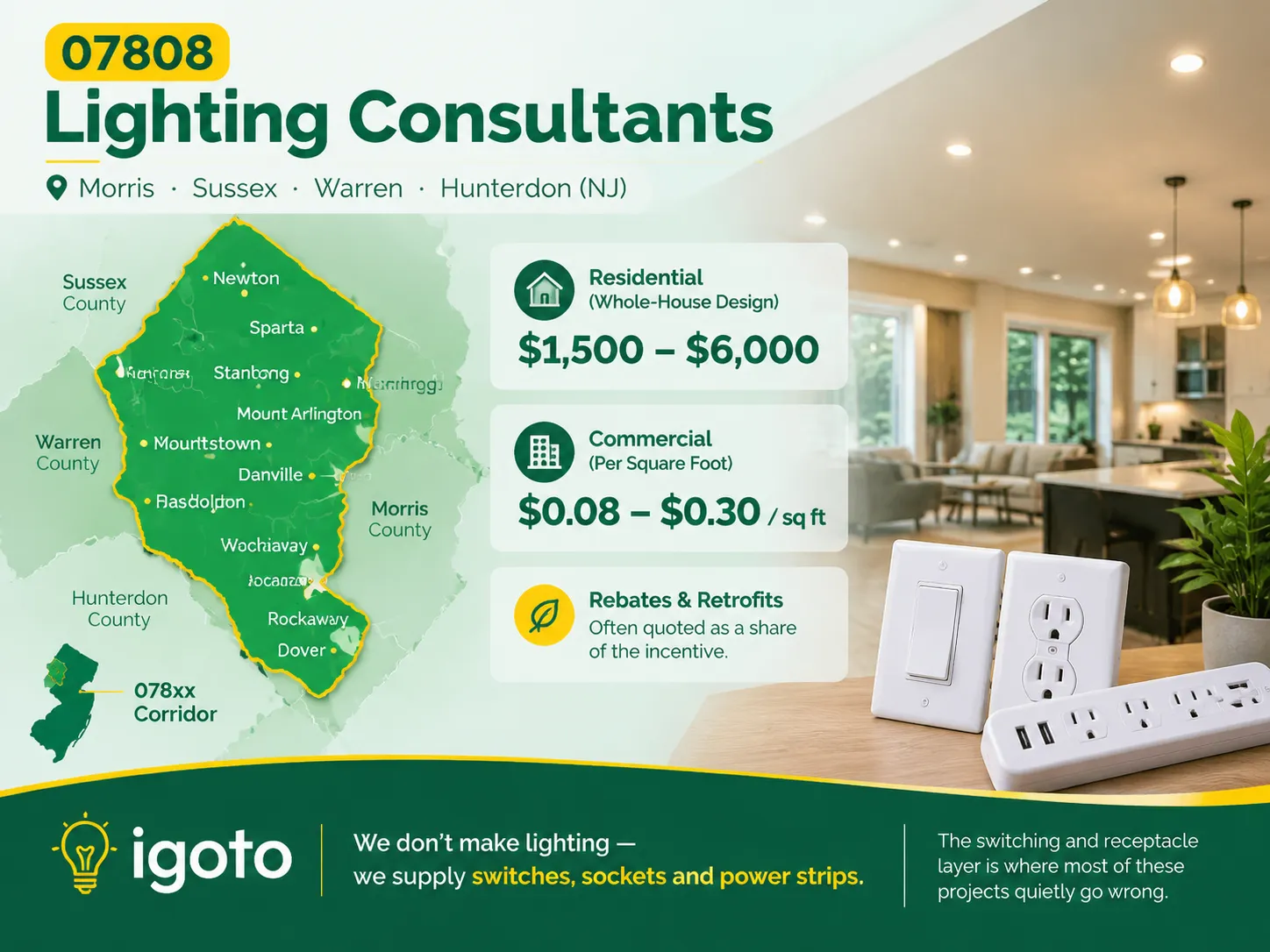
When you search for the postal code 07808, you’re not expected to find anything useful. This is because this code has never been used, but it is significant for some places in New Jersey where the lack of lighting can be observed due to some old buildings standing in the area and the lack of […]
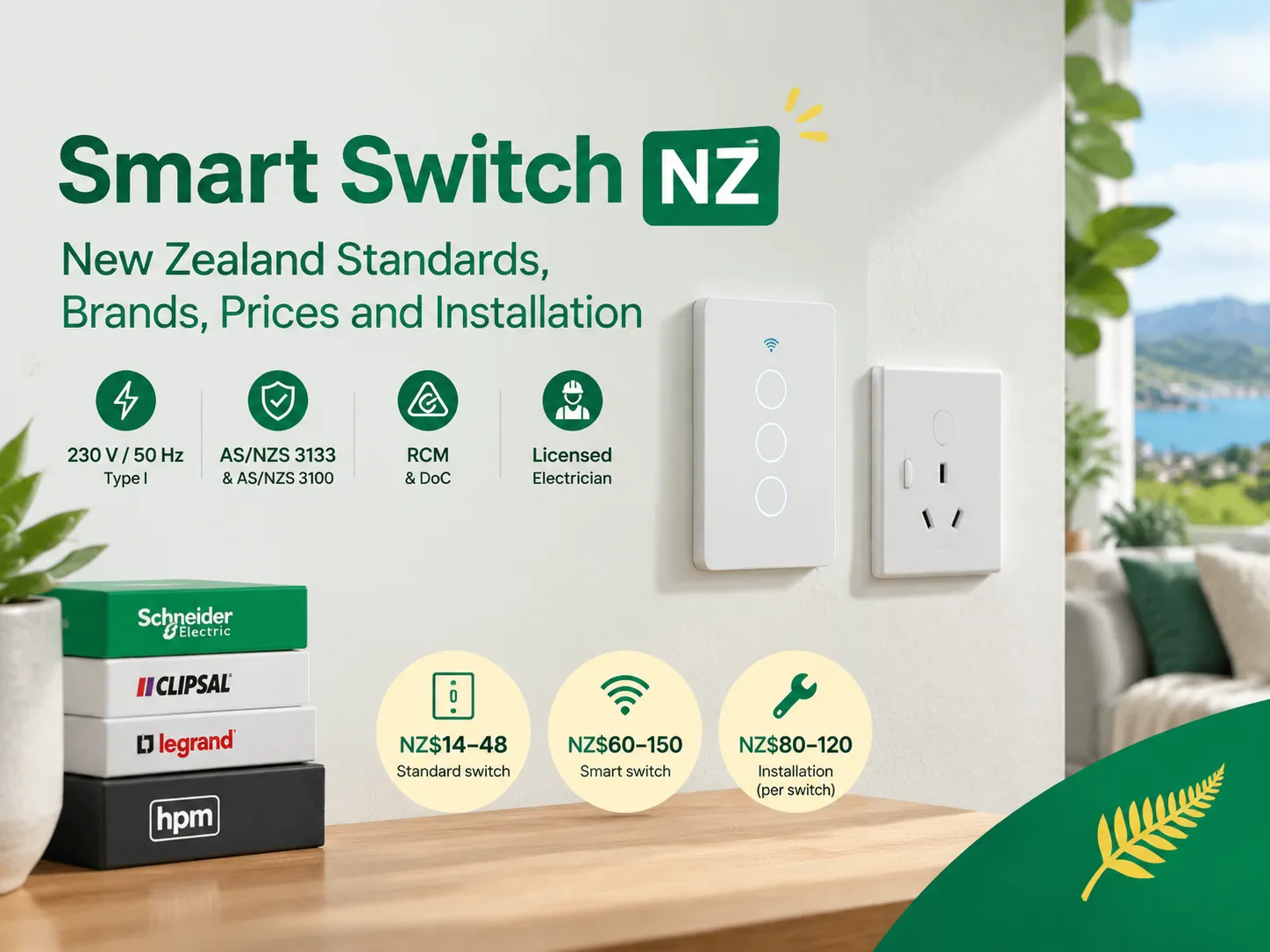
New Zealand is a small but distinct electrical market. If you are buying smart switches in New Zealand, you are dealing with a plug standard that is different from anywhere else in the world, an approval process with its own paperwork, and a wiring system that excludes half of the smart switch models available overseas. […]

 No.6 Tuozhan Road, Leshang Pioneer Park,Yueqingwan Bay Harbor,Yueqing city,Zhejiang Province


