

You’ve arrived at the wall, holding a new switch in your hand, gazing at the fixture that governs both your ceiling fan as well as the accompanying lighting kit — questioning the possibility of using a single dimmer switch for both? This represents one of the most often asked questions regarding home electrical work, the answer takes many by surprise. While both the light dimmer switch and fan switch (fan speed controller) may seem similar when inspected from the outside, both perform distinct functions inside their mechanism — and changing one for the other has the potential to produce humming sounds, heat up excessively, ruin the motor of your fan or even start a fire.
Quick answer: Differences can be seen between a light dimmer switch and fan switch because both of them are designed to operate either resistive or inductive loads respectively. A light dimmer is used for regulating voltage in of resistive loads like incandescent lamps, halogen bulbs and dimmable LED lights. A fan switch or speed controller works with the current/capacitance of the motor in order to manage its speed because it deals with inductive loads like ceiling fans. It is completely unacceptable to use a conventional light dimmer on a ceiling fan. The reason is that its altered current creates vibrations in the fan motor. It means that fan motor can become very hot and may break down faster which can end up with something much worse than just breaking down the device.
Here’s the single most important concept in this entire article:
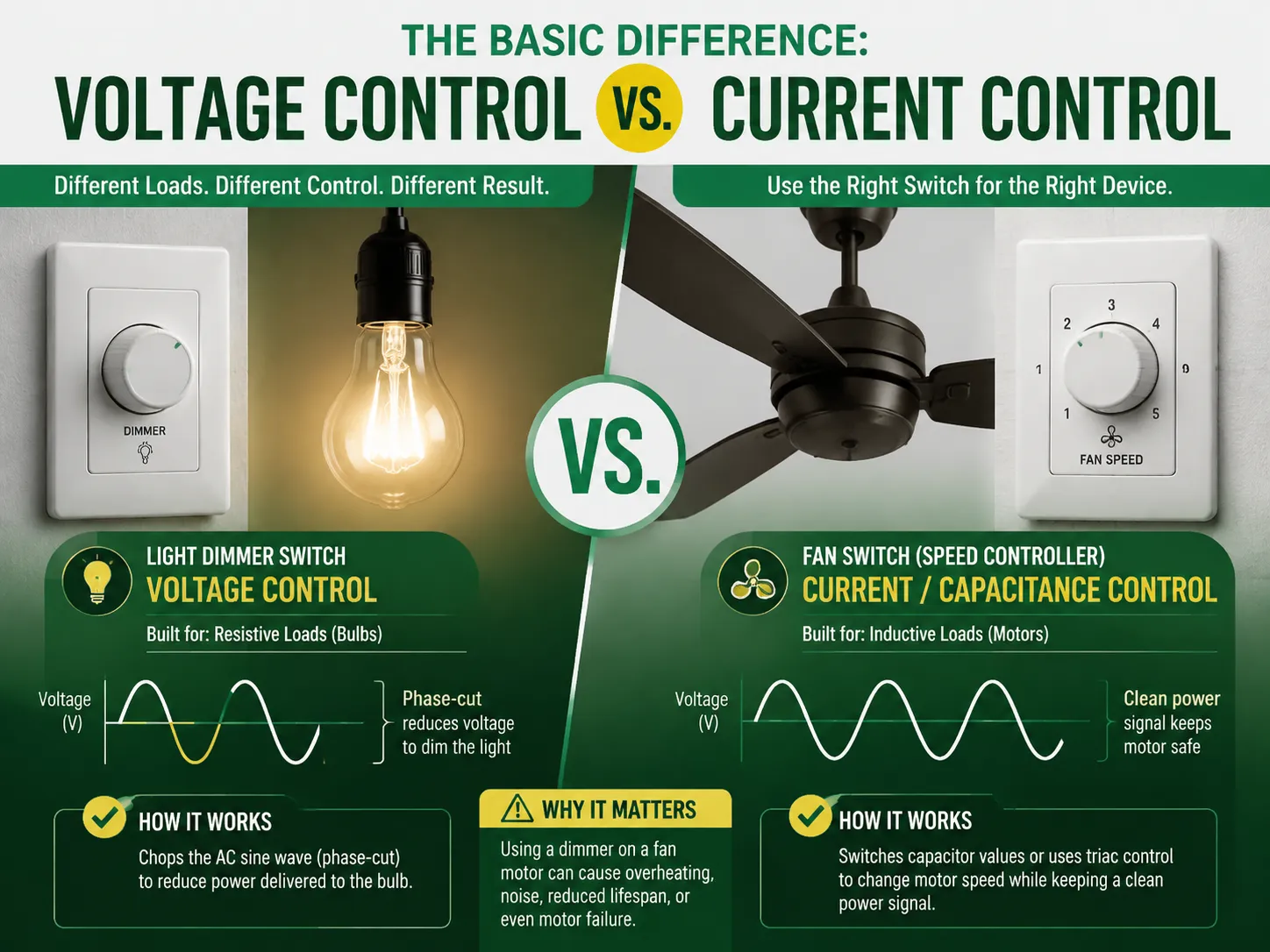
| Device | What It Controls | Load Type It’s Built For | How It Works |
|---|---|---|---|
| Light dimmer switch | Voltage | Resistive (bulbs) | Chops the AC sine wave (phase-cut) to reduce power delivered to the bulb |
| Fan switch (speed controller) | Current / capacitance | Inductive (motors) | Switches capacitor values or uses triac control to change motor speed while keeping a clean power signal |
While a light bulb is a resistive load that converts electricity into light and heat, causing a lower voltage to dim it, a fan motor is an inductive load that requires steady voltage in order to create a magnetic field to spin its rotor. Therefore, lowering the voltage means that the motor will use more current to sustain torque, creating excess heat that it wasn’t built to cope with.
With a dimmer switch, you are able to control the ability to adjust lights from maximum brightness to the bare minimum of light. The mechanism of dimmers is that it interferes with AC, repeatedly cutting power hundreds of times in a second.
For a step-by-step guide to installing one, our how to install a dimmer switch article covers the full process from safety shutdown to wiring and testing.
A fan control switch, also known as a fan speed controller, allows the regulation of the speed of a ceiling fan among low, medium, and high – or in some models, on and off. Contrary to a dimmer switch that cuts voltage, a fan switch employs variations in capacitance and triac control to impart some power to the motor.
The fan controllers are assigned a limit for the maximum load in motors, which frequently lies between 1.5 and 3 amps. Typically, a ceiling fan uses less than an amp of power; however, in case several fans are being controlled from one switch, consider summing up the loads of the fans and pick a controller with the same load as the sum of the components.
| Feature | Light Dimmer Switch | Fan Switch (Speed Controller) |
|---|---|---|
| Controls | Light brightness | Fan speed (and optionally light) |
| Load type | Resistive (bulbs) | Inductive (motors) |
| Control method | Phase-cut voltage reduction | Capacitance / triac speed regulation |
| Adjustment range | Continuous (1–100%) | Stepped (low/med/high) or continuous |
| Can it control a fan motor? | No — unsafe | Yes (its main job) |
| Can it dim lights? | Yes | Only dual models with a light channel |
| Typical amp rating | 150–1000W (load-dependent) | 1.5–3A motor load |
| Wiring | Line + load + (neutral for smart) | Line + fan load + (light load + neutral for dual/smart) |
| Price | $10–$45 | $10–$60 |
| Best for | Lights, lamps, chandeliers | Ceiling fans, exhaust fans, attic fans |
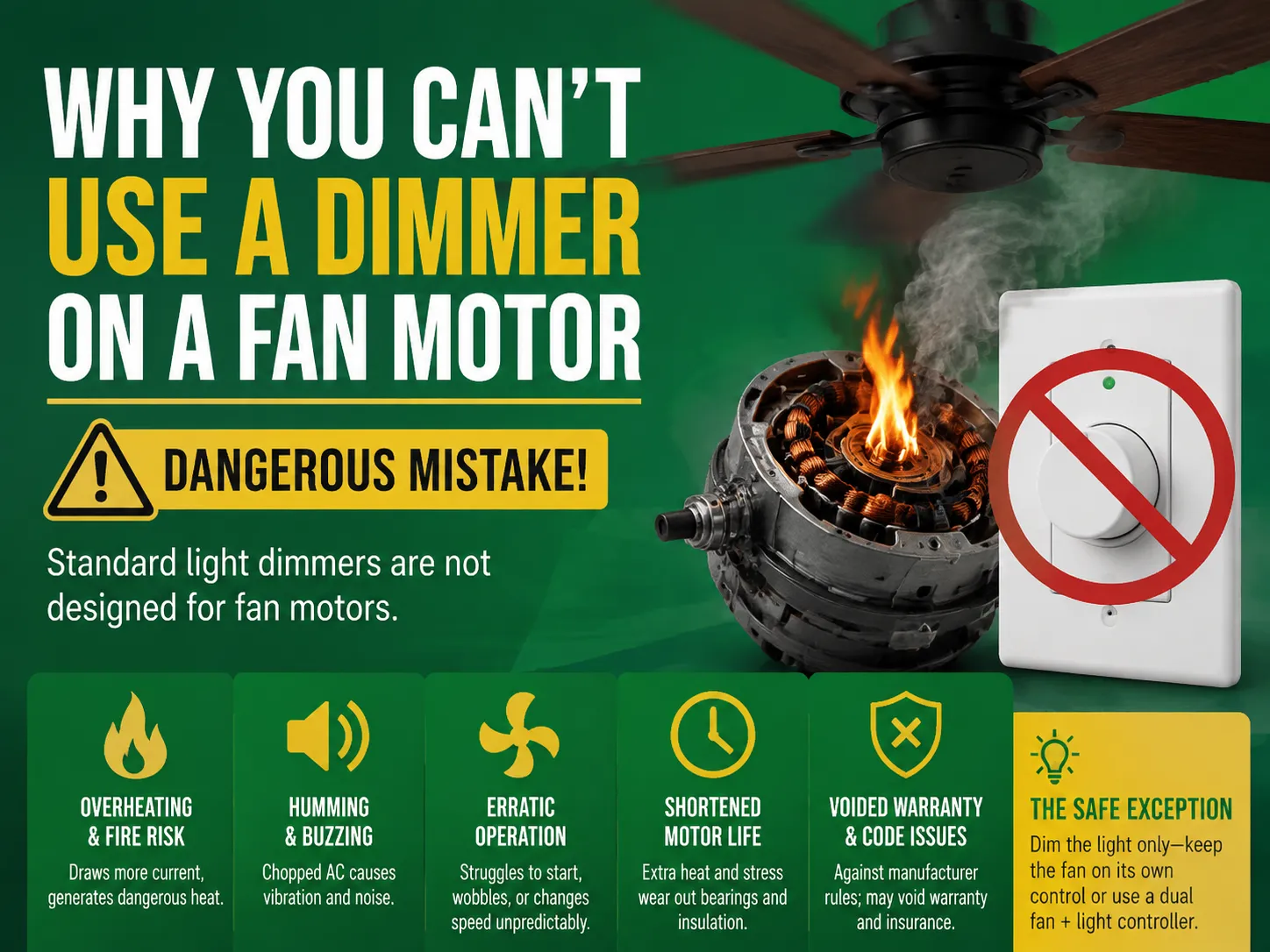
This is the most dangerous mistake in this topic, so let’s be very clear. Never connect a standard light dimmer to a ceiling fan motor. Here’s what happens:
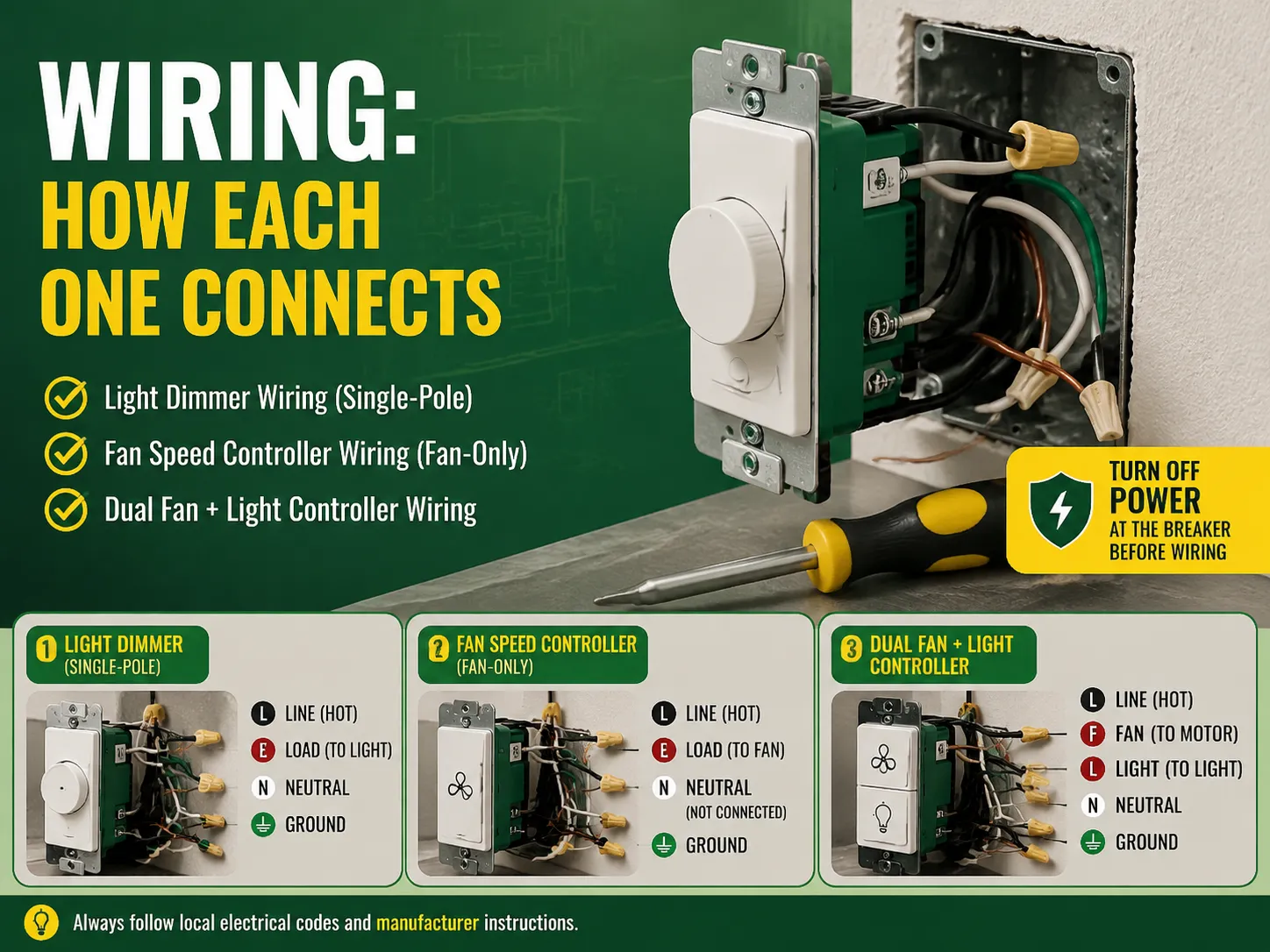
This is for when there is a fan and light kit and you wish to be able to separately control the two units from a switch on the wall. You will need three wires from the electrical box and the ceiling fan wiring:One wire to bring the power source (hot line), plus the wire for the fan, and another wire for the light.
Attach the fan wire to the controller fan terminal, then connect the light wire to the light terminal, and connect the line wire to the hot line. If only one wire comes from the wall switch, you cannot control the fan and light separately, and instead you have to use a universal remote kit which is installed in the fan base or a smart 2-in-1 switch with radio receiver.If you’re deciding between switch types for an entire room, our guide on different kinds of switches in electrical puts dimmers and fan controls in context with all the other switch types you’ll encounter.
| Device | Price Range |
|---|---|
| Basic rotary light dimmer | $10–$18 |
| Slide / touch light dimmer | $15–$25 |
| LED-compatible smart dimmer (Wi-Fi) | $25–$45 |
| Basic fan speed controller (fan-only) | $10–$20 |
| Dual fan + light wall controller | $20–$45 |
| Smart 2-in-1 fan/light switch | $35–$60 |
| Universal fan remote kit (module + remote) | $25–$50 |
| Professional installation (per device) | $75–$150 |
The price for a dual fan/light controller is roughly comparable to that of a smart dimmer, making the dual fan/light controller the more worthwhile option for your investment when wiring permits. It does this by managing both loads through a single faceplate.
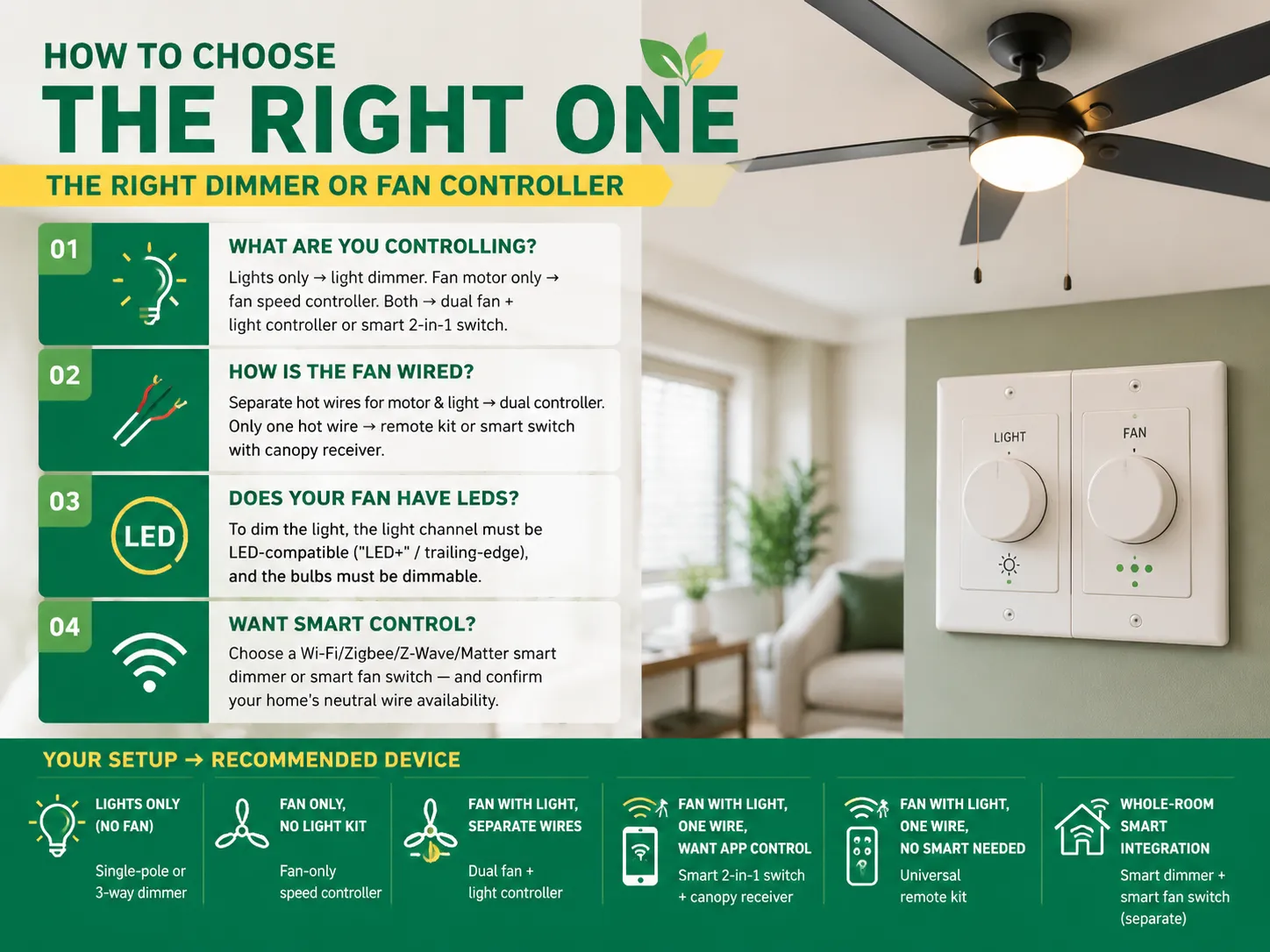
Utilize these four questions:
| Your Setup | Recommended Device |
|---|---|
| Lights only (no fan) | Single-pole or 3-way light dimmer |
| Fan only, no light kit | Fan-only speed controller |
| Fan with light, separate wires | Dual fan + light controller |
| Fan with light, one wire, want app control | Smart 2-in-1 switch + canopy receiver |
| Fan with light, one wire, no smart needed | Universal remote kit |
| Whole-room smart integration | Smart dimmer + smart fan switch (separate) |
| Brand | Known For | Price Tier |
|---|---|---|
| Lutron | Dimmable LED expertise, Maestro line, Caséta smart dimmers | Mid–High |
| Leviton | Decora line, wide dimmer range, smart options | Mid |
| GE (Current) | Budget-friendly dimmers and fan controls | Budget–Mid |
| Eaton | Commercial-grade reliability, broad catalog | Mid |
| Hubbell | Industrial-grade controls | High |
| IGOTO | Value-priced dimmer/fan controller combos (e.g., RS328/RS329), AU-standard certified, 15-year warranty | Value |
| TP-Link Kasa / Wyze | Budget smart dimmers and switches | Budget |
For European or Australian standard installations, IGOTO offers an interesting option: the RS328/RS329 Dimmer Switch (400W) / Fan Speed Controller (200W) with Switch — a single wall plate line that comes in either a light-dimmer version or a fan-speed-controller version, SAA-certified for AU/NZ installations with a 15-year warranty. For smart-home setups, the WiFi Smart Curtain & Dimmer Switch adds app control for both dimming and curtain functions.
No. A regular dimmer switch shouldn’t be used to control the ceiling fan motor. A dimmer reduces voltage, causing the inductive motor to draw a greater current, overheat, produce noise, and wear out faster — this poses fire risks and voids the warranty on the fan. Always use a dedicated fan speed control system that is designed to safely regulate the motor’s speed. The only exception is dimming the light kit on a different circuit from the motor.
It is possible for the device to slow down the fan but in a dangerous manner. The [lowering of the voltage] causes the fan motor to work harder and consume more energy which generates excess heat that could permanently damage the fan motor or even start a fire. Additionally, the fan motor will emit humming or buzzing sounds at lower levels and will probably have problems starting. The appropriate device for slowing a fan motor is the fan speed controller and not the light dimmer.
The main disadvantages: (1) they only work with compatible bulbs — non-dimmable LEDs flicker or fail; (2) older dimmers can cause LED bulbs to buzz or flicker at low settings, requiring LED-rated dimmers; (3) they can’t control inductive loads like fan motors, transformers, or most appliances; (4) smart dimmers need a neutral wire in the wall box, which older homes often lack; (5) minimum-load requirements mean some dimmers won’t work with a single low-wattage LED; and (6) they cost more than standard switches. Despite this, modern LED-compatible dimmers are reliable and energy-saving when matched to the right bulbs.
Light dimmers operate on the principle of cutting the phase to decrease the energy supply for lighting devices like bulbs. However, fan speed controllers simply regulate the flow of electricity to the motored system by using capacitance or triac technology. Due to differences in loads and the mechanisms of control, the two devices are not compatible — using a light dimmer on a fan device produces humming and overheating. Combination fan light controllers allow fan control and dimming by using separate conductors for the fan’s motor and light.
A light dimmer switch and a fan switch look alike, but they are vastly different devices. One rule that keeps your home safe and your money in your wallet: pair the switch with the load.
Just make sure you know whether on the other side of the switch there is a bulb or a motor and you are covered!
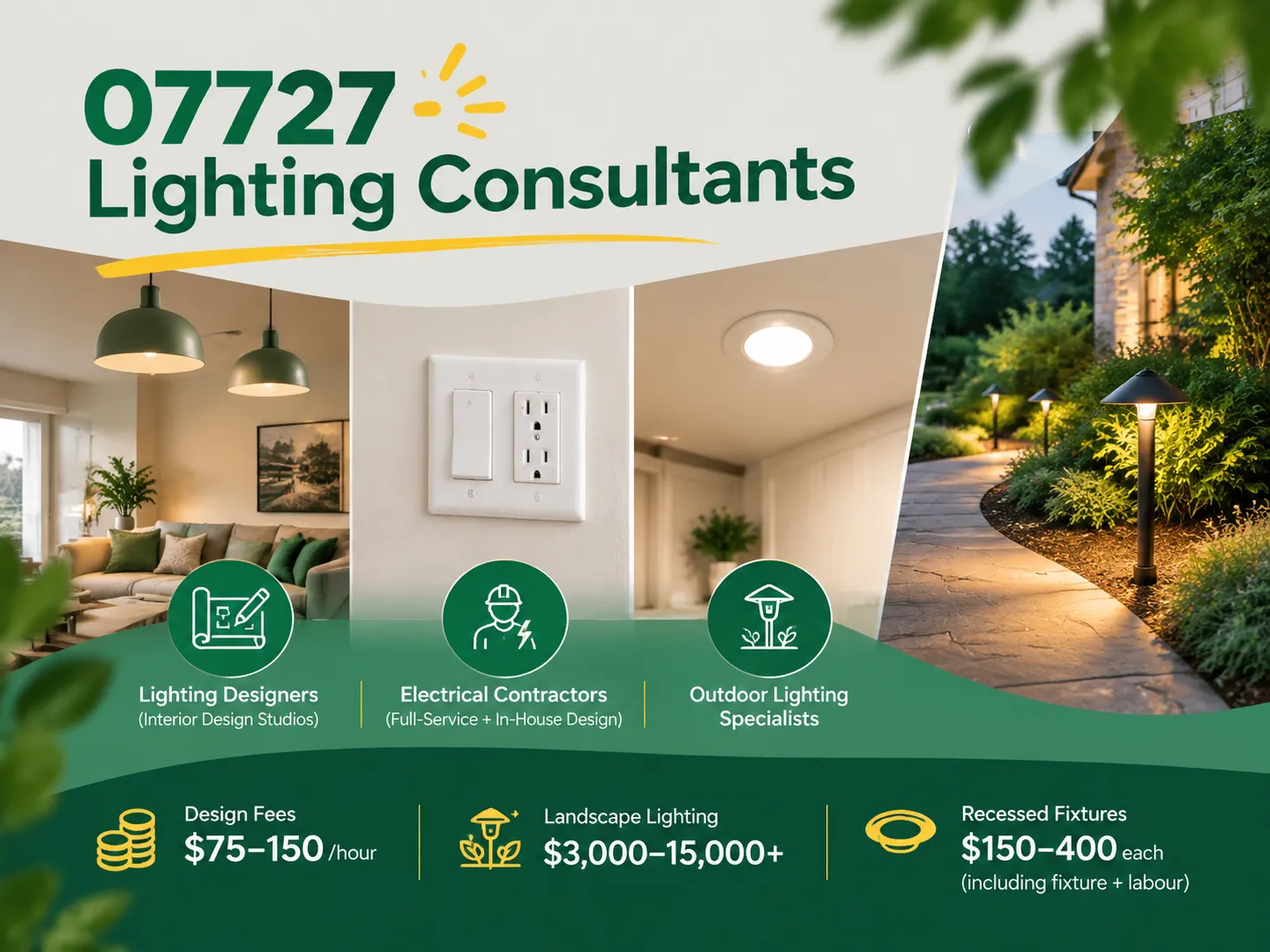
Farmingdale, along with parts of Wall Township and Tinton Falls, New Jersey, share the same zip code of 07727. Most of the houses built from the 1950s to the 1990s still exist today. Most of the homeowners are renovating their houses as opposed to building new homes. Homeowners tend to spend a lot more on […]

The term “07984 lighting consultants” gives people the impression that the five digits represent a postal code of some sort that indicates the place where lighting consultants provide services. This is, however, incorrect: there is no postal area coded 07984, which is only a code of mobile telecommunications in Great Britain. This means that the […]
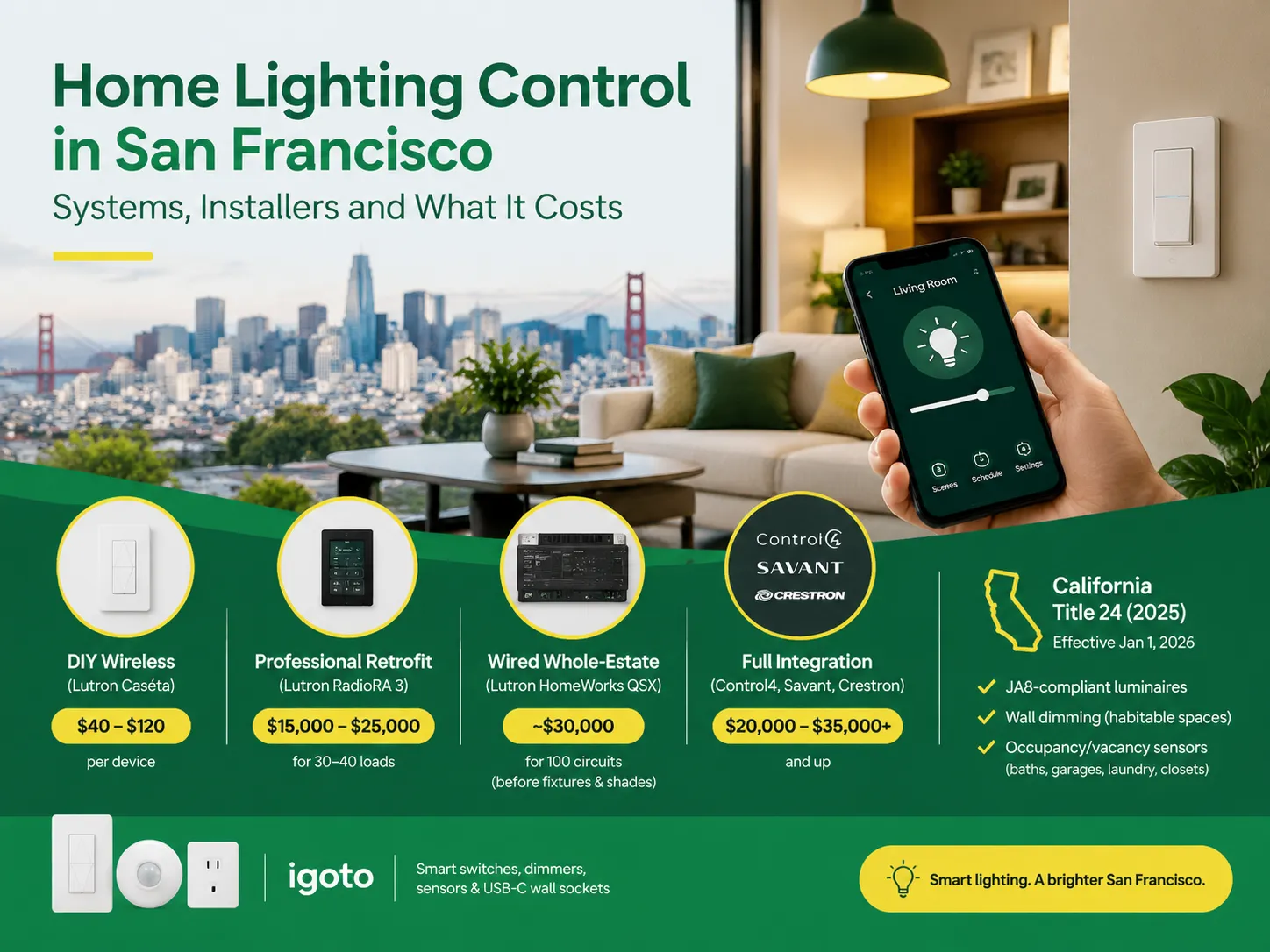
San Francisco is not the average lighting control market. The housing stock is old and dense, and the electrical code does not allow for as many electrical installations as is allowed almost anywhere else in the U.S. Most homes that want complex lighting are Victorian or Edwardian buildings where no one wants to start opening […]

 No.6 Tuozhan Road, Leshang Pioneer Park,Yueqingwan Bay Harbor,Yueqing city,Zhejiang Province


